

Neuraft · AI Studio

Intelligence,crafted.

An independent AI studio that designs and builds intelligent products.automations that run themselves.websites that sell.dashboards that think.

The studio

AI is everywhere. *Craft* is not. Neuraft lives in the space between — where ~intelligence~ is designed with intention, engineered with care, and shipped as something people actually love to use.

0
Products live in production: Pulse and Board
0+
Client websites designed, built and launched
0
Core disciplines: AI, automation, data and web
1:1
Direct line. You work with the person building your product

Products

Built in-house.
Running in production.

Two products, designed and engineered end to end at Neuraft Studio — live at pulse.neuraft.ir and board.neuraft.ir. Use them today, or have them set up for your company.

Pulse by Neuraft Studio · v4.11Live

Pulse.

The pulse of your whole team.

Projects, tasks, team chat, calendars and live dashboards — one calm place for every company you run.

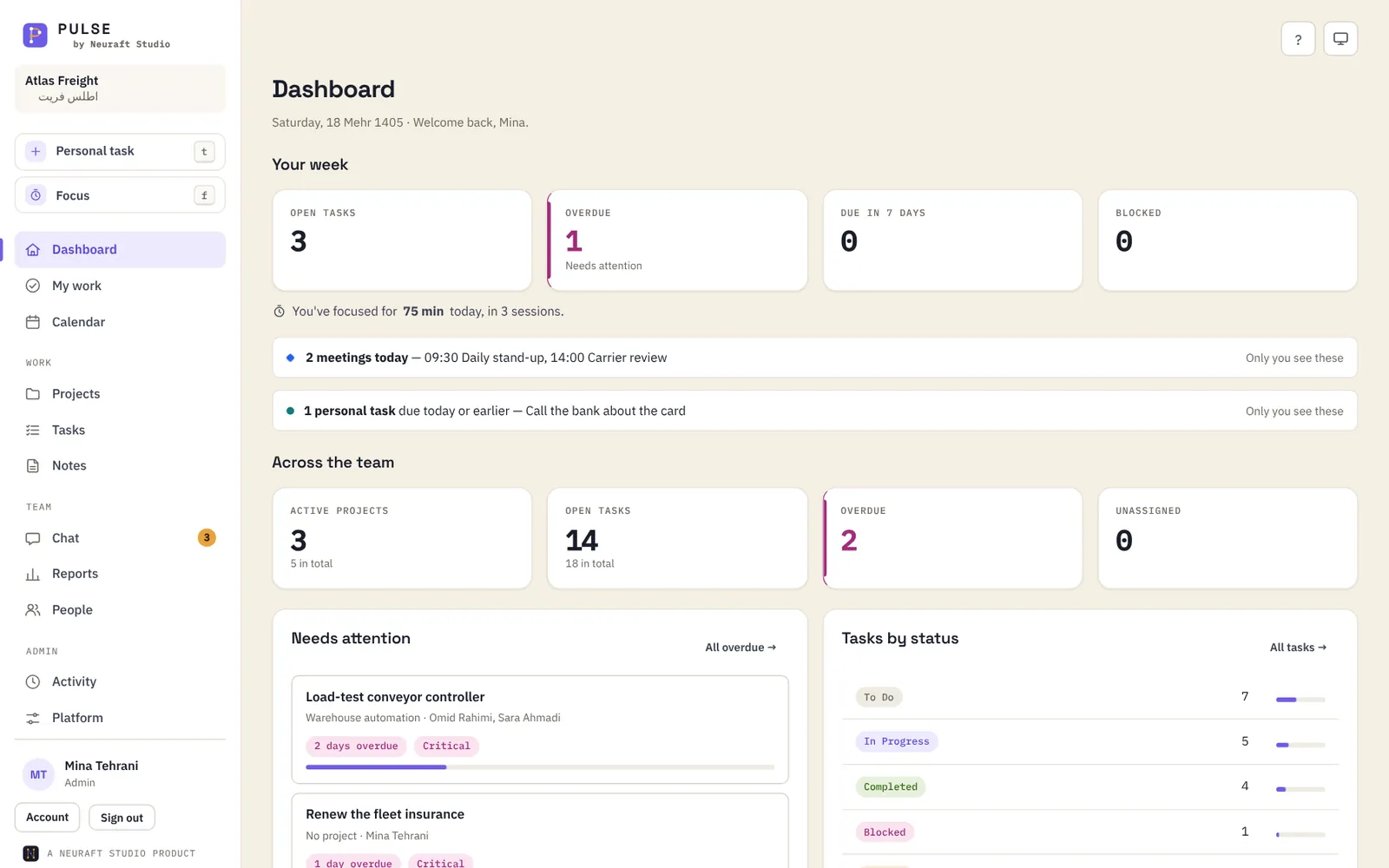
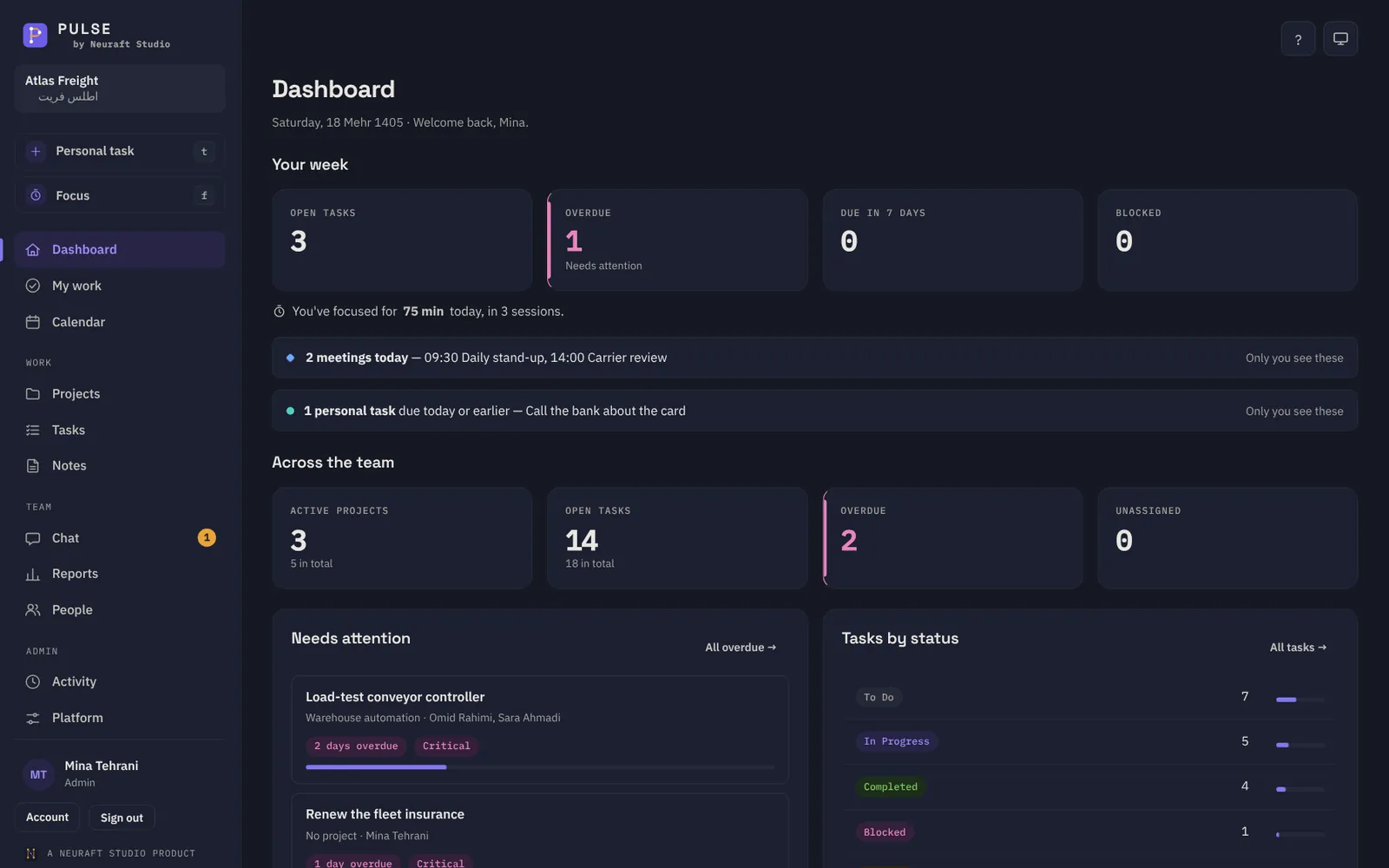
Pulse dashboard: your week and the team's, every card links to the list behind it

This is Pulse. Everything that's moving, on one screen. Every number is a door — click it and you're there.

The tour

A tour of a working day.

🔒 pulse.neuraft.ir/
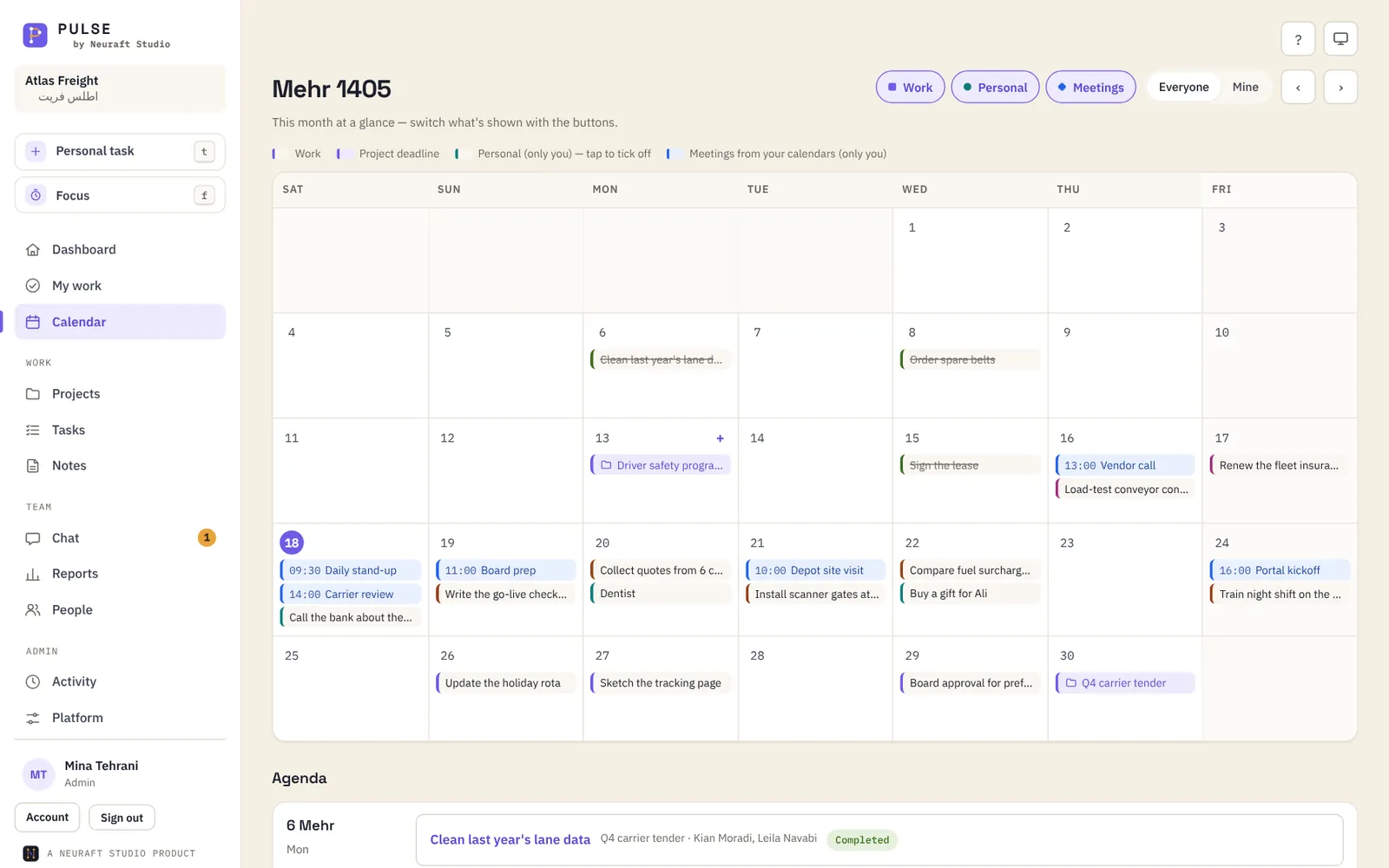
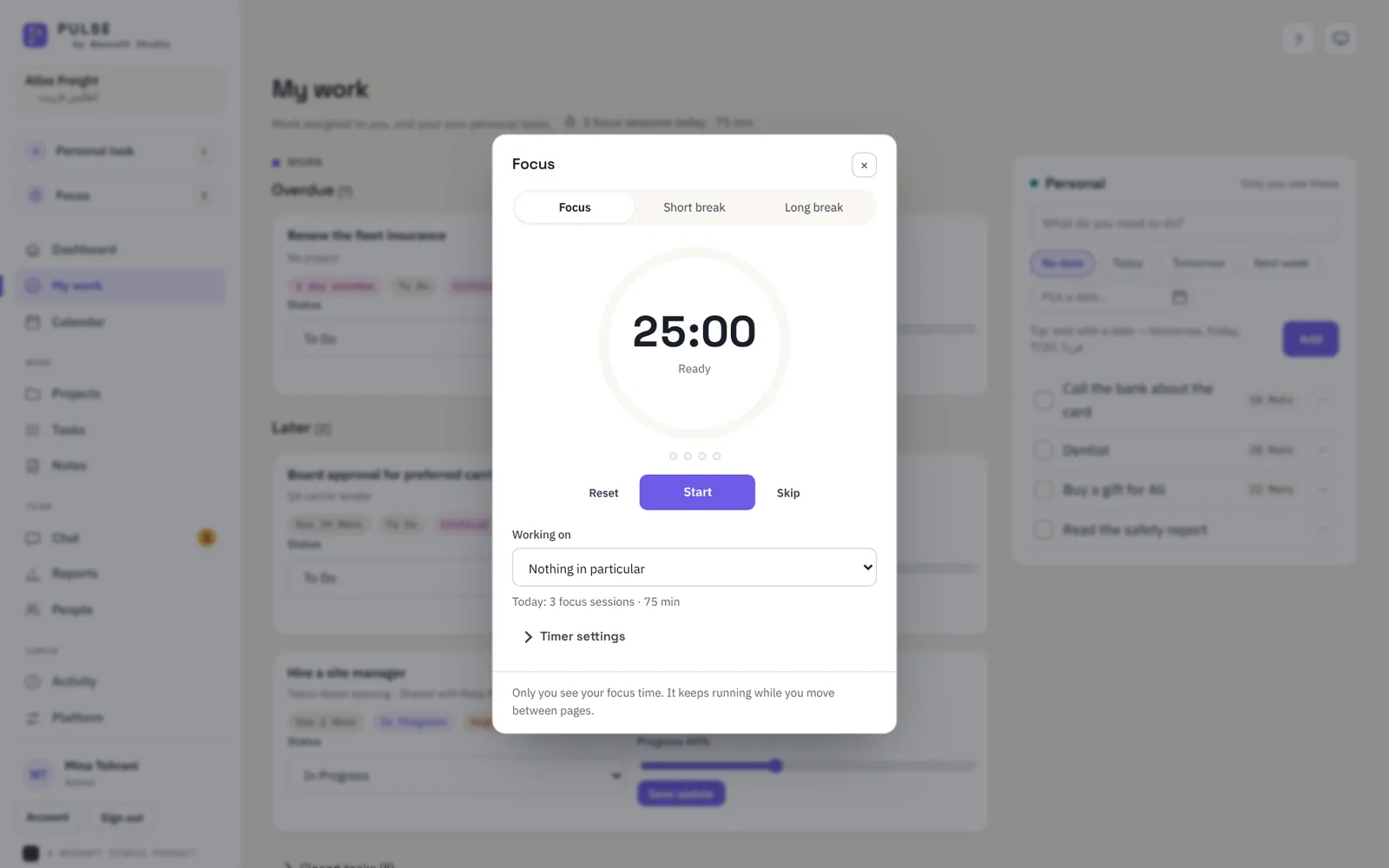
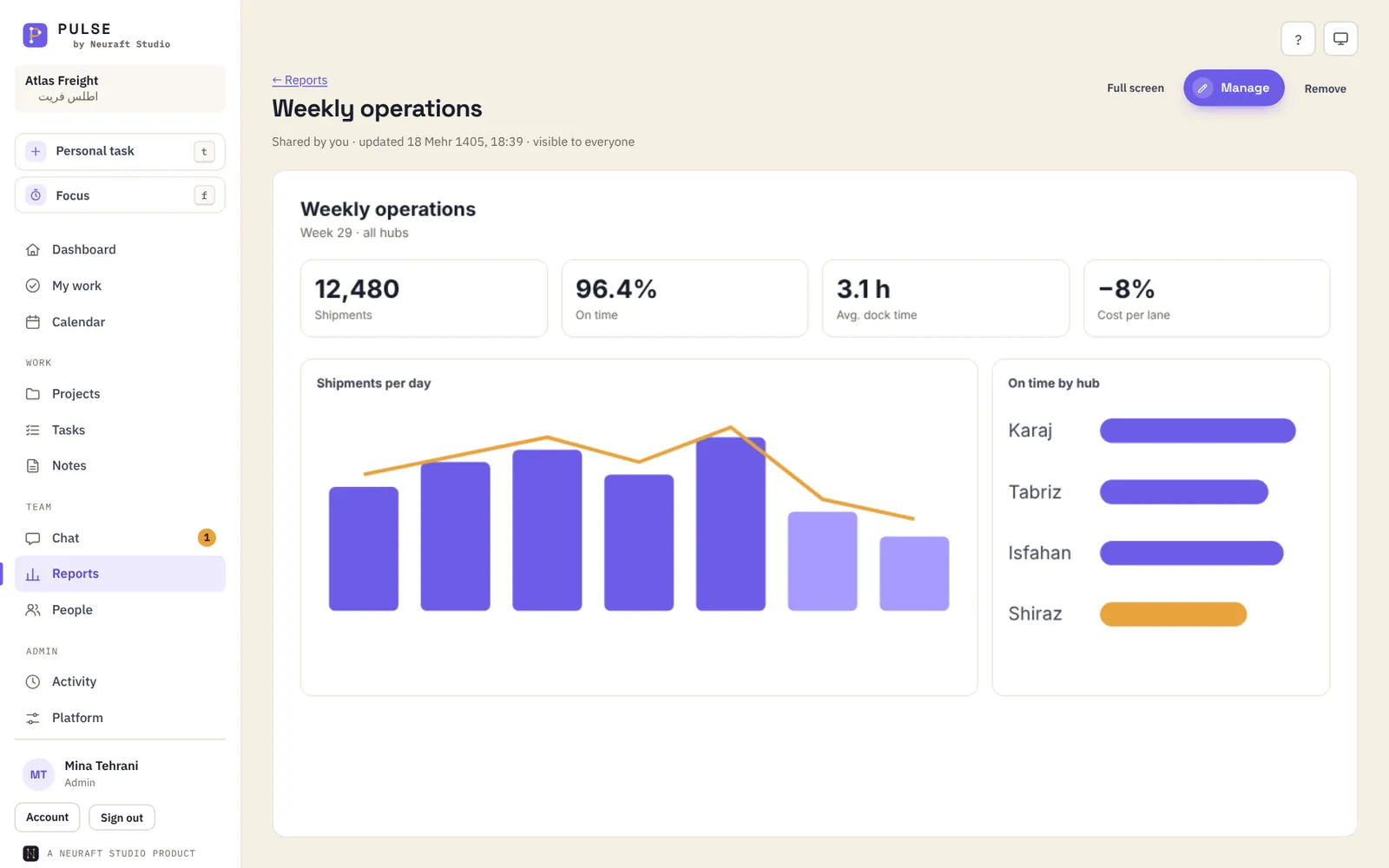
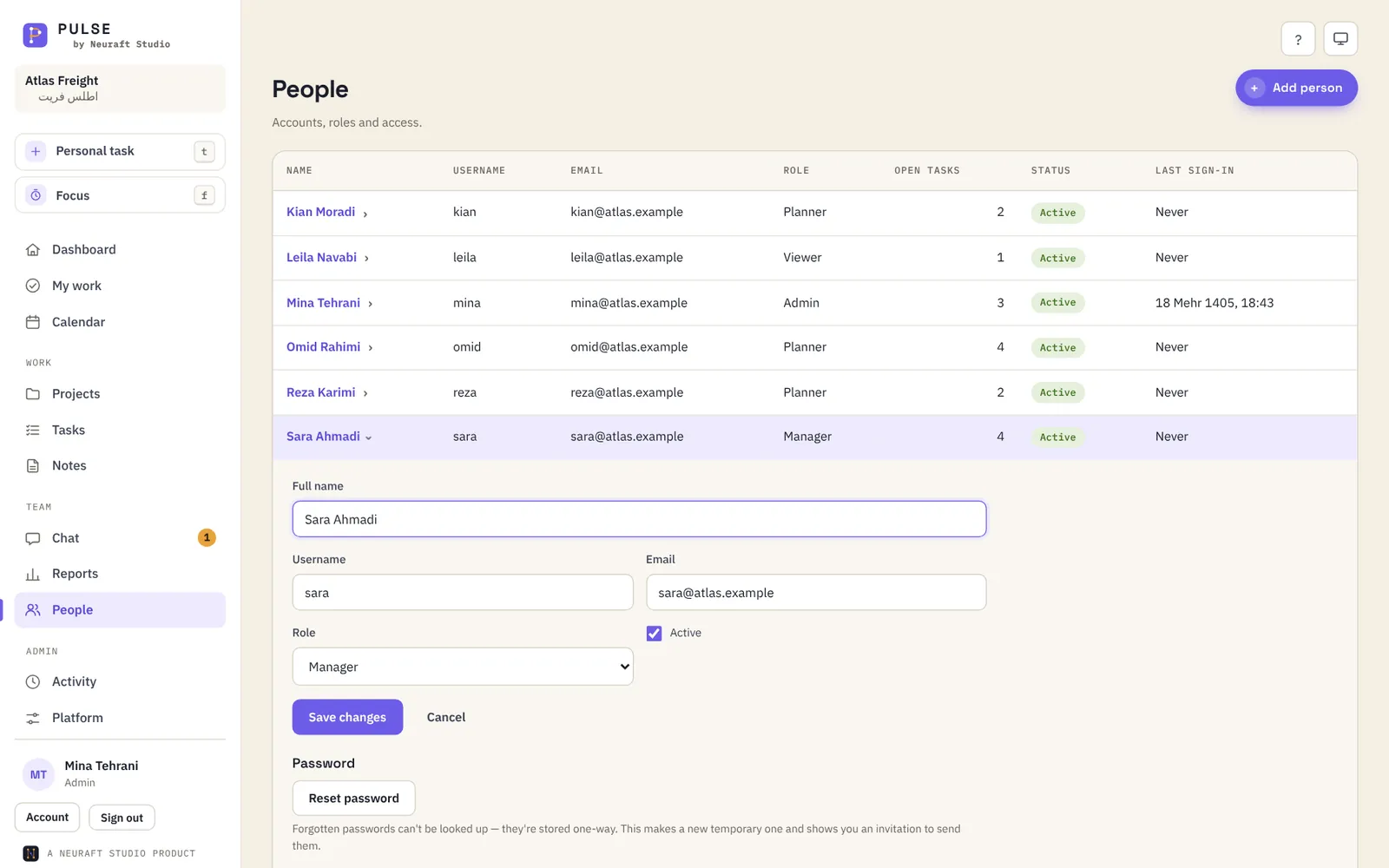
Dashboard with metric cards that link to filtered task lists Task board with To do, In progress, Blocked and Completed columns The #warehouse-ops channel with mentions and task links A Jalali month calendar mixing work tasks, personal tasks and Outlook meetings My work page with the Focus timer open A shared Weekly operations dashboard with charts People page with a person's details open in the table
01 · Dashboard

Start with the whole picture.

Your week and the team's: what's open, what's overdue, what's blocked, and who has too much. Every card opens the exact list behind it.

02 · Tasks

Move work forward.

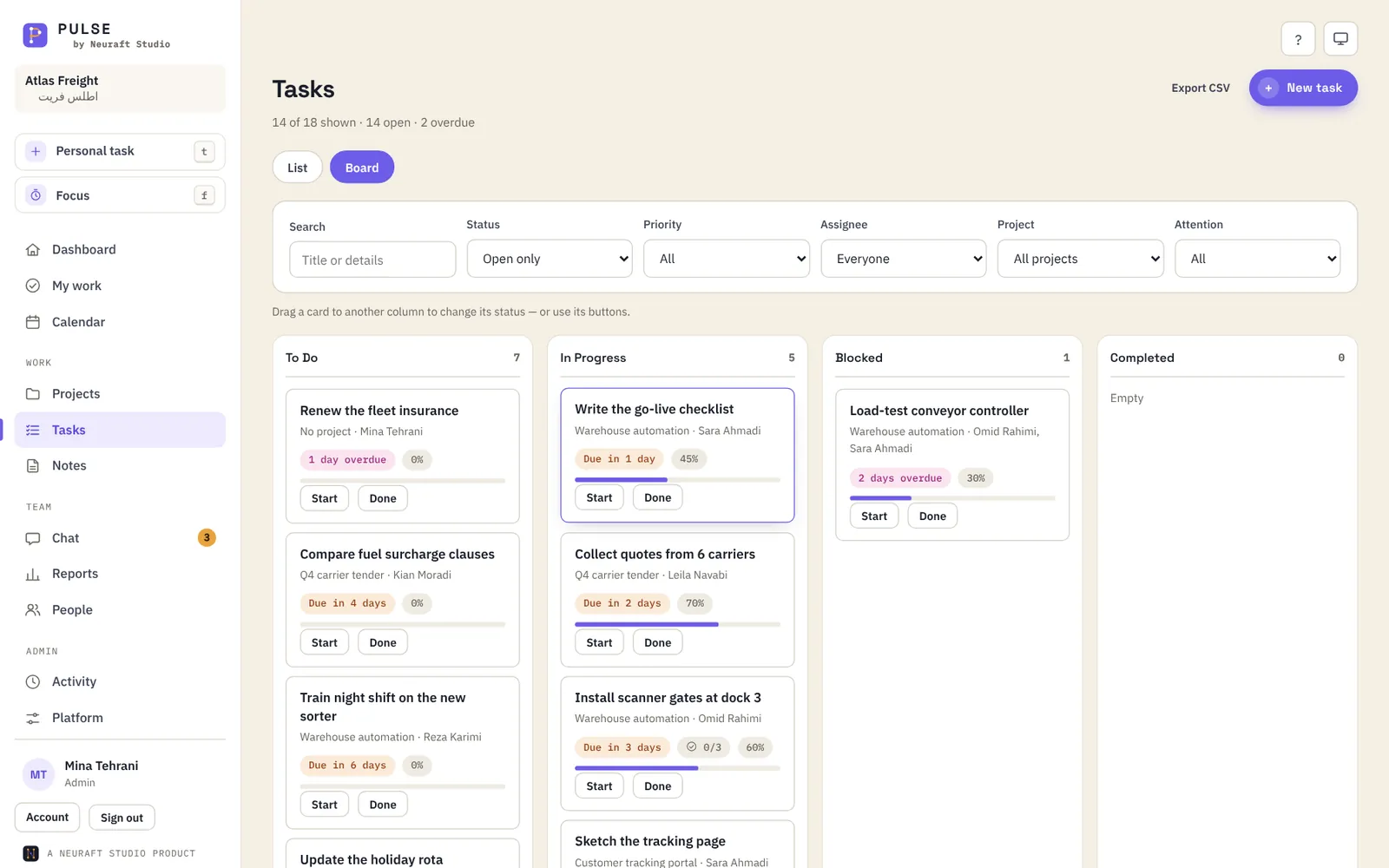
Projects, tasks, checklists and a drag-and-drop board. Tick the last checklist item and the task completes itself. Progress rolls up to the project.

03 · Chat

Talk right next to it.

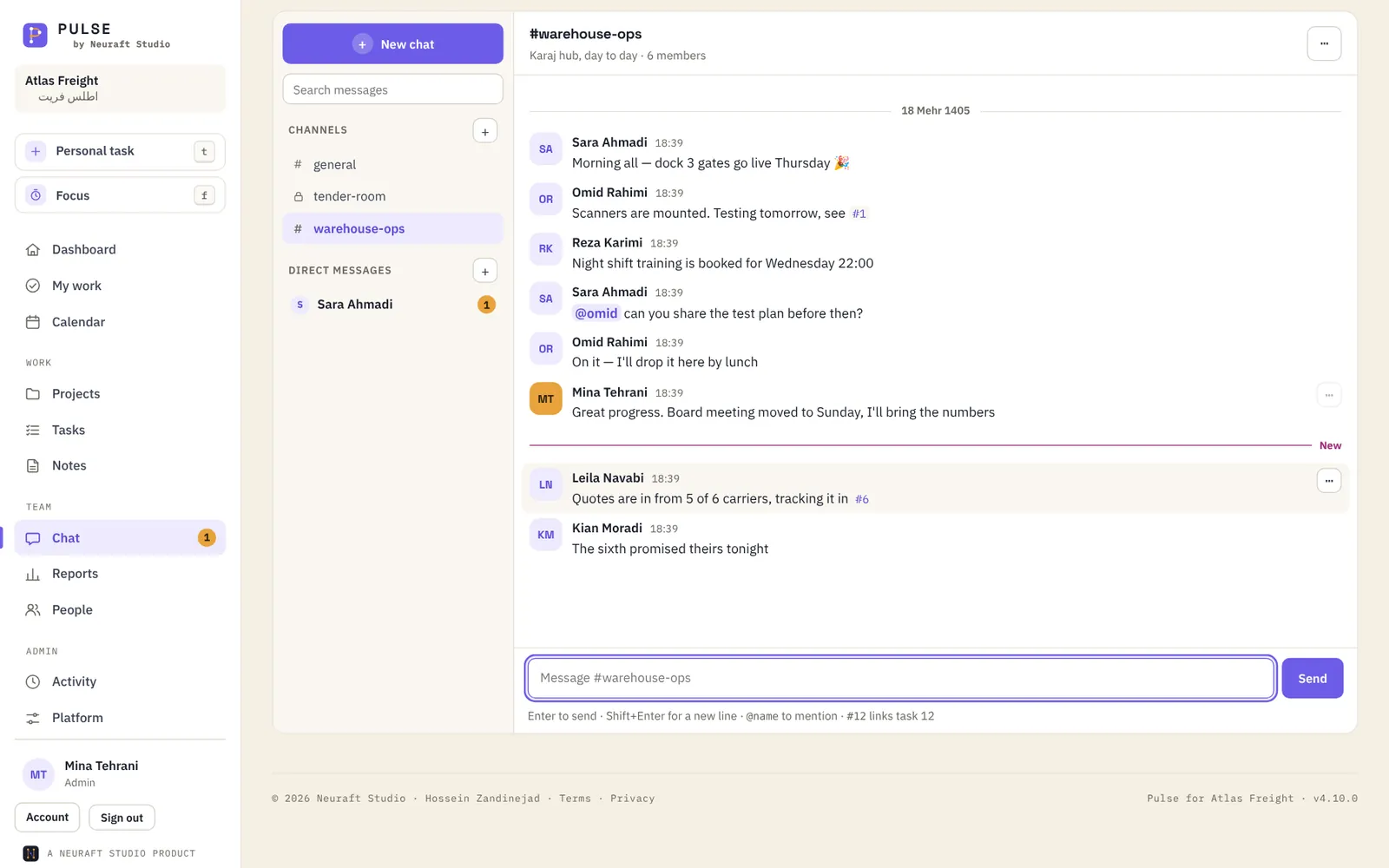
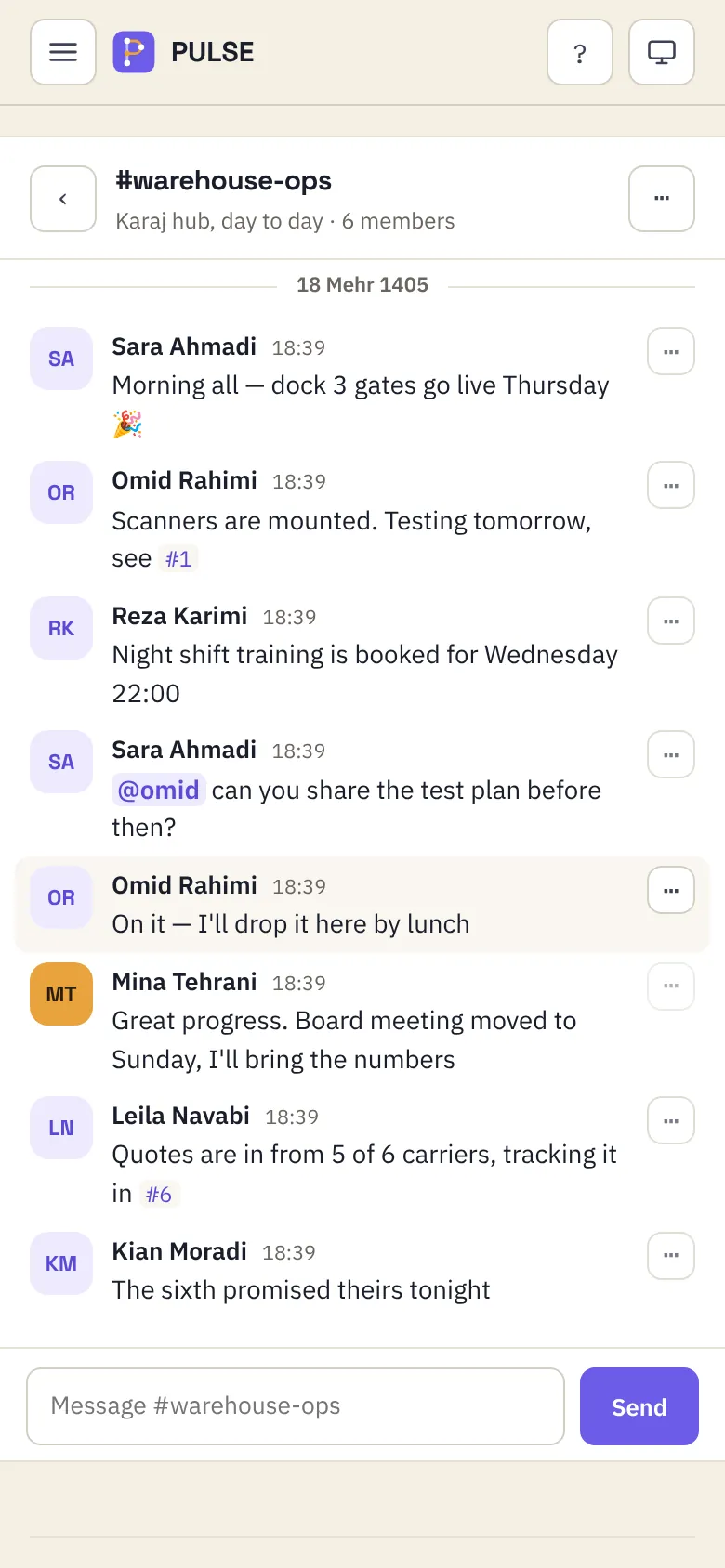
Team chat with channels, private rooms and direct messages. Mention @someone, type #12 and it links the task. Messages arrive live.

04 · Calendar

See the month at a glance.

A Jalali calendar with your team's deadlines, your personal tasks and the meetings from your Outlook or Google calendar — switch each on or off with one tap.

05 · My work

Keep your own list, and focus.

Personal tasks only you can see — add one in a second with “call the bank friday”. Then start a Focus session: 25 minutes on one task, a break, repeat.

06 · Reports

Share the numbers that matter.

Upload your own dashboards and reports and show them inside Pulse — to everyone, or only to the people you choose.

07 · People

Bring your people in.

Add someone and Pulse writes the invitation. Four roles — Admin, Manager, Planner and Viewer — decide who can change what. Edit anyone right in the table.

Team chat

Talk where
the work is.

No more hunting through a messenger for the photo of the delivery note. Pulse chat lives beside your tasks, inside your company, and nowhere else.

  • Channels for everyone, private rooms for a few, direct messages for two
  • @mentions light up, #task numbers turn into links
  • Delete for me, or delete for everyone within 2½ days — just like WhatsApp
  • Unread counts follow you on every page
# warehouse-ops6 members
Message #warehouse-opsSend

Many companies

One Pulse.
Every company.

Run several companies from one Pulse, each in its own private workspace. Each one gets its own sign-in page, logo and colour — and their data never meets.

🔒 pulse.neuraft.ir/o/atlas-freight
Pulse in the Indigo company colour
+ 4 more

Its own front door

Each company signs in at its own address, with its name and logo on the page.

Its own look

Nine colours, each tuned for light and dark mode and checked for readable text.

Its own data

People, projects, chat and files are walled off per company. Nobody sees across.

Day shift. Night shift.

Light and dark themes that follow your system — or your choice. Drag to compare.

Pulse in light mode Pulse in dark mode ‹ › LightDark

Everything a team needs.
Nothing it doesn't.

Unique

Team collaboration

Projects with their own teams, shared tasks, checklists, notes and an activity log of who changed what — so nobody asks “where are we on this?”

Unique

Team chat

Channels, private rooms and DMs that live next to the work.

Unique

Many companies

Separate workspaces, colours and sign-in pages, all from one Pulse.

Unique

Shared dashboards

Show your reports inside Pulse, to everyone or to chosen people.

Jalali dates

Every date in the Persian calendar, with Iran's week starting Saturday.

Your meetings, too

Outlook and Google calendars appear next to your tasks — only you see them.

Personal tasks

A private list that sits beside your work, quick to add, easy to tick off.

Focus timer

Pomodoro sessions linked to a task, with a tally of today's focus.

Roles that make sense

Admin, Manager, Planner, Viewer — each sees and changes only what they should.

Email, if you want it

Opt in to assignments, mentions and a morning digest. Off by default.

Export anything

Projects and tasks to CSV, ready for Excel.

Keyboard first

Press t for a personal task, f for focus, ? for the rest.

Built to be trusted with real work.

  • Runs on your own server — your data stays where you put it
  • Passwords stored one-way, sessions that time out, and lock-out after repeated wrong guesses
  • Every form protected against forgery; a strict policy on what the browser may load
  • Daily backups, and a safety copy before anything big is deleted

In your pocket.
No app store.

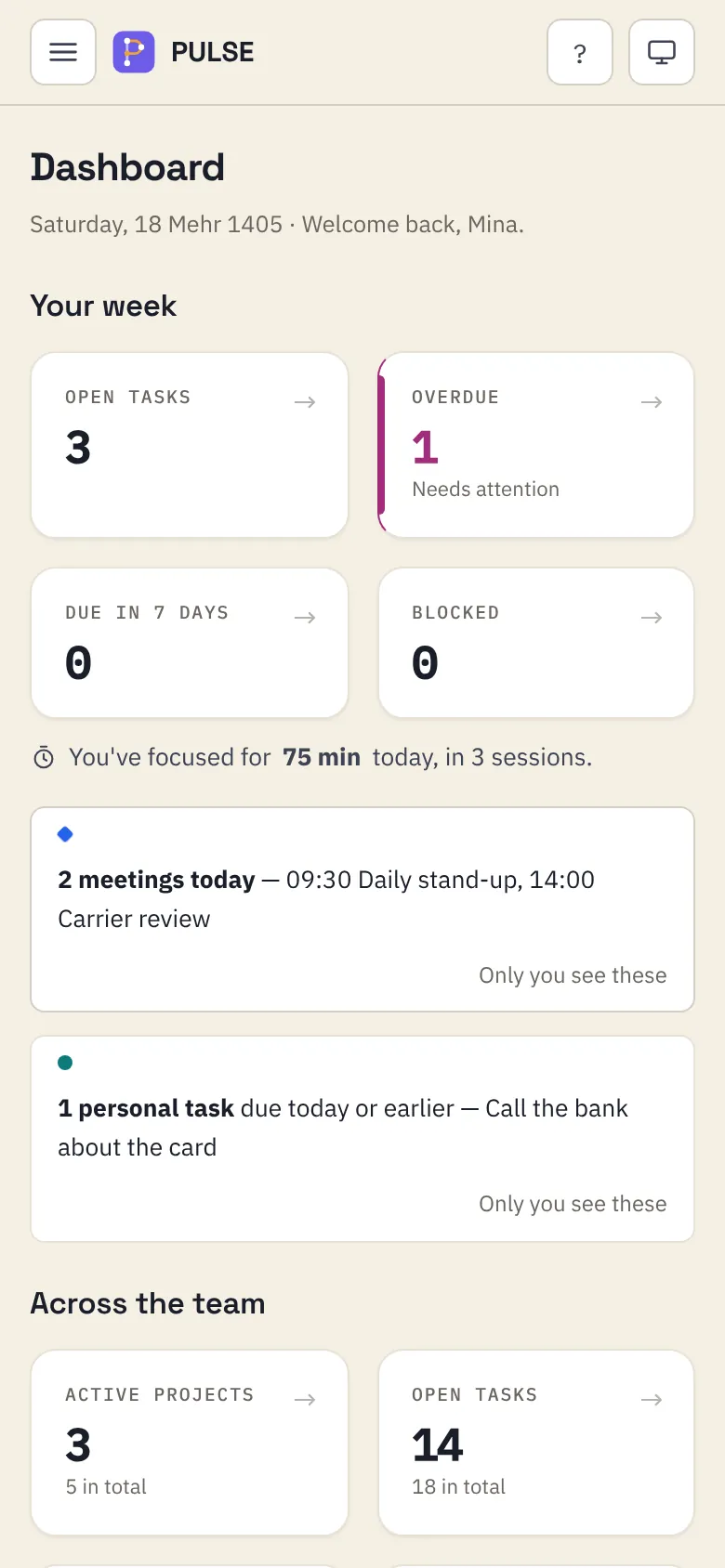
Install Pulse straight from the browser on Android, iPhone, Windows or Mac. It opens in its own window with its own icon.

Pulse dashboard on a phone
Pulse chat on a phone
Board by Neuraft AI Studio · v1.6Live

Board.

Put the whole team on one board.

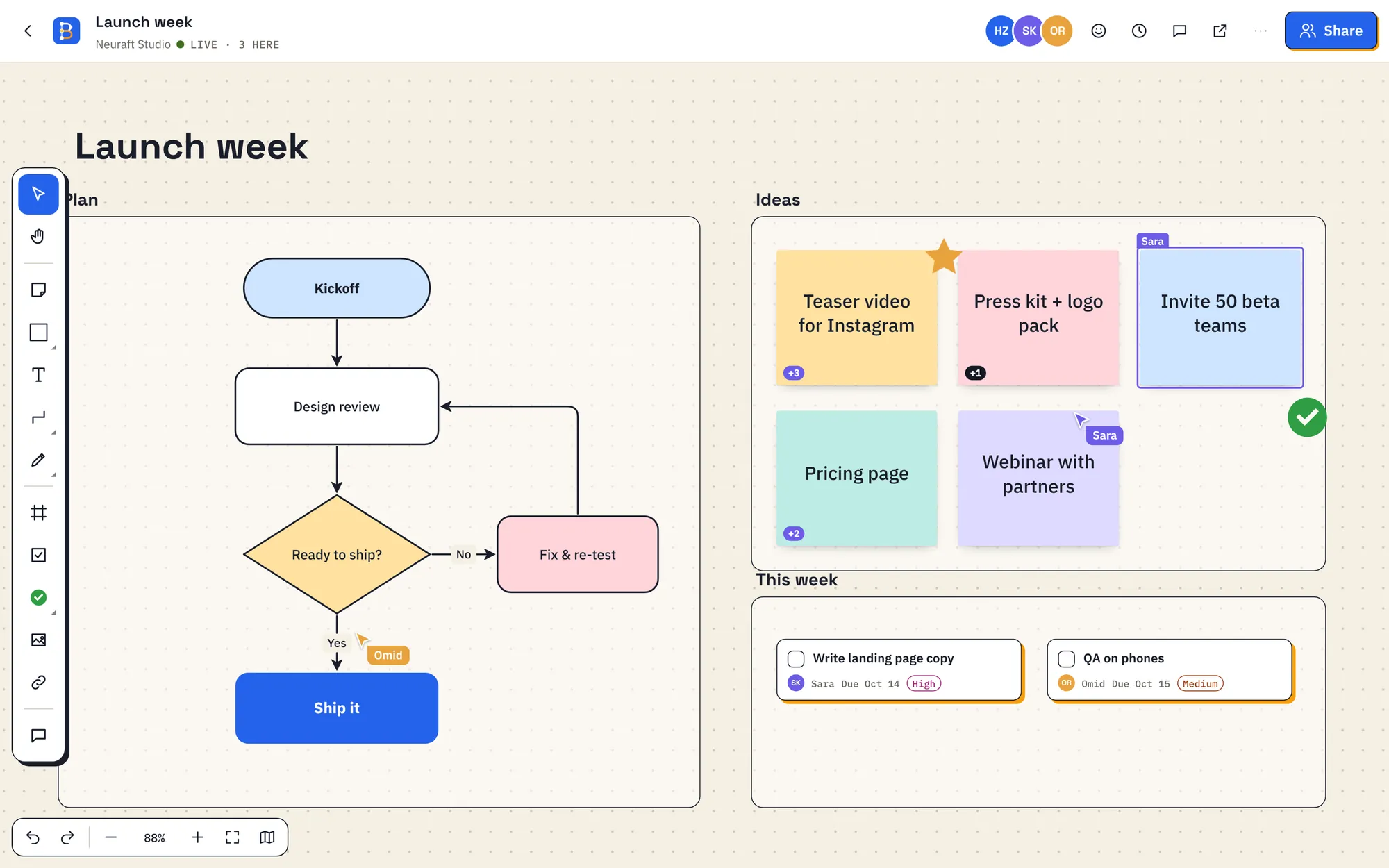
The live whiteboard where your team sketches, plans and decides together. Every note, arrow and cursor appears for everyone the moment it happens.

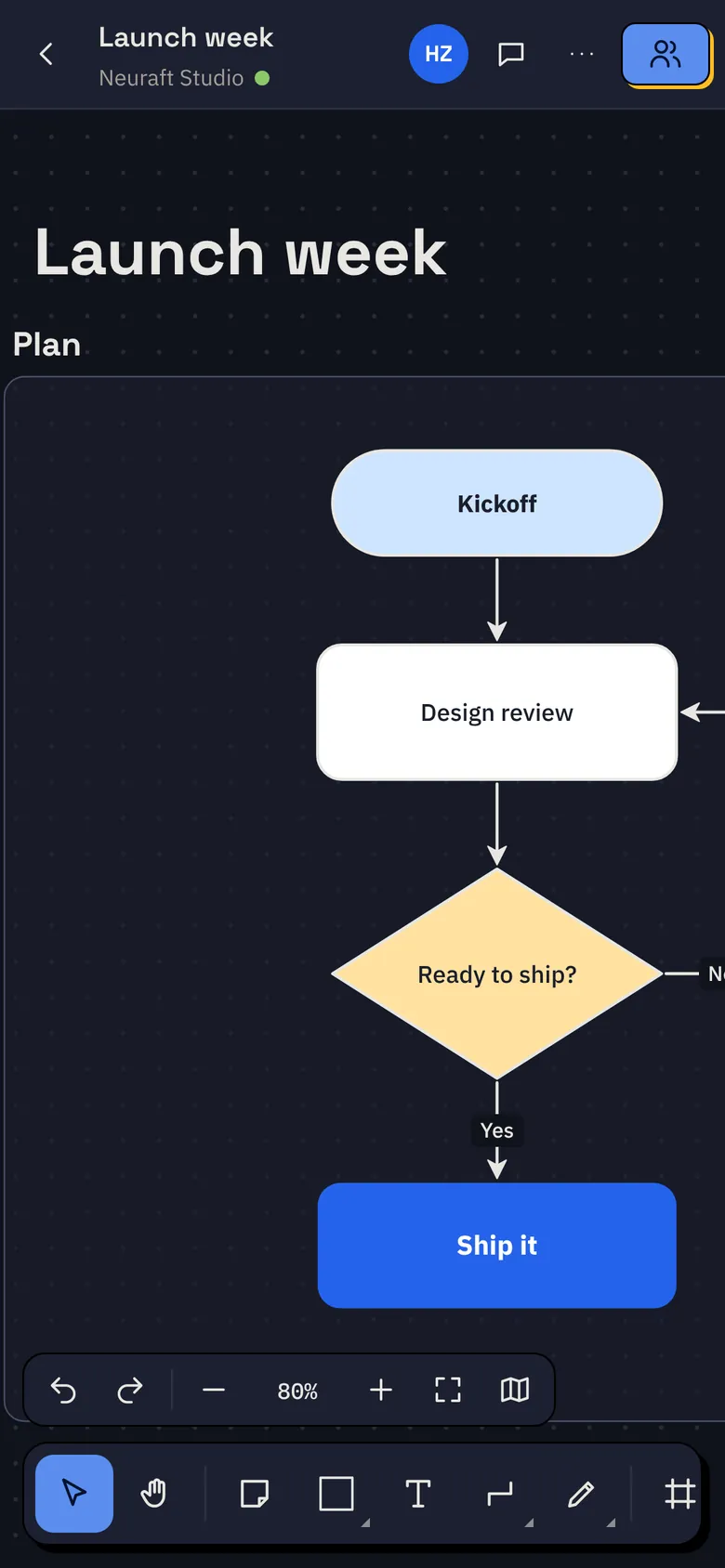
🔒 board.neuraft.ir/b/launch-week
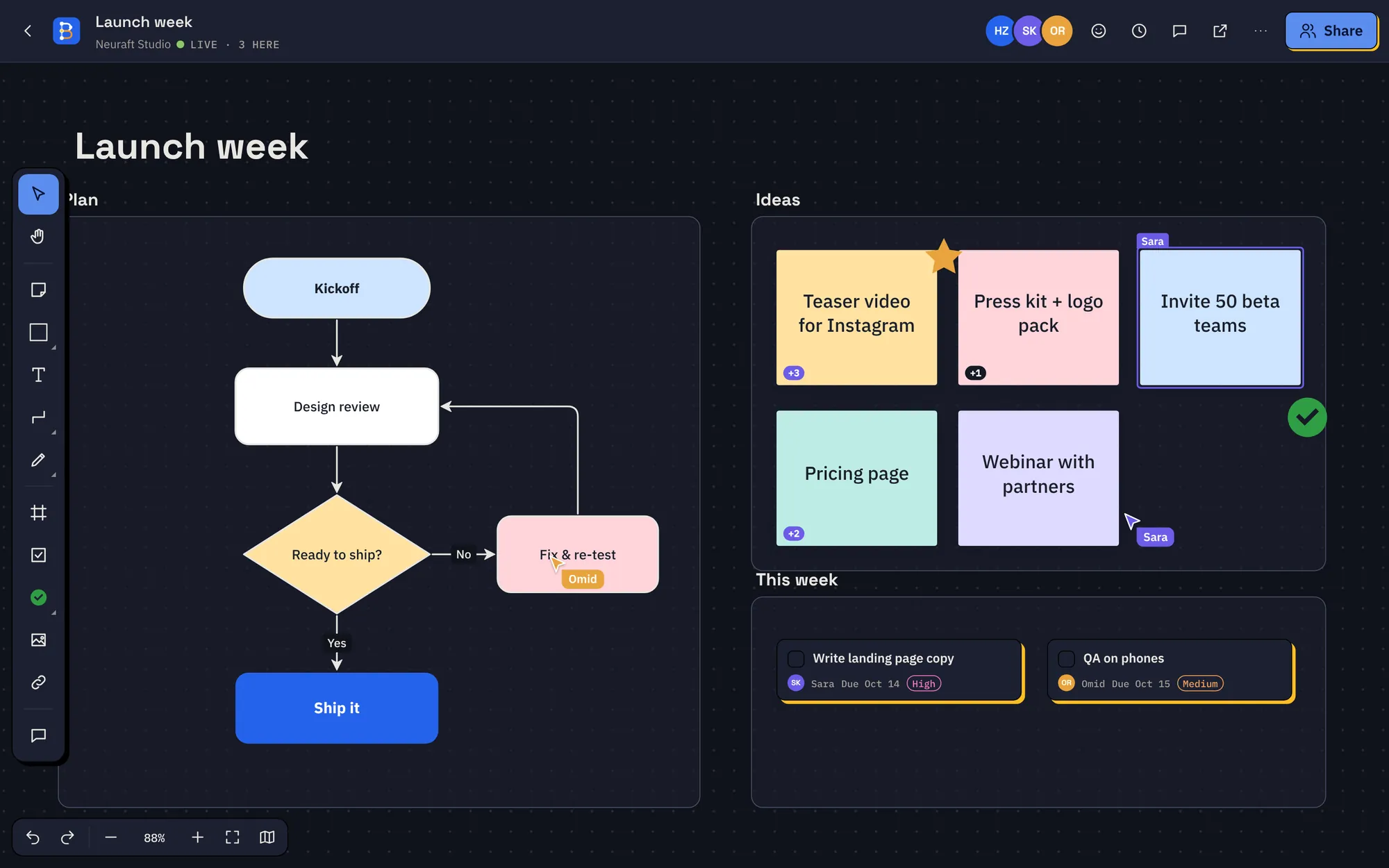
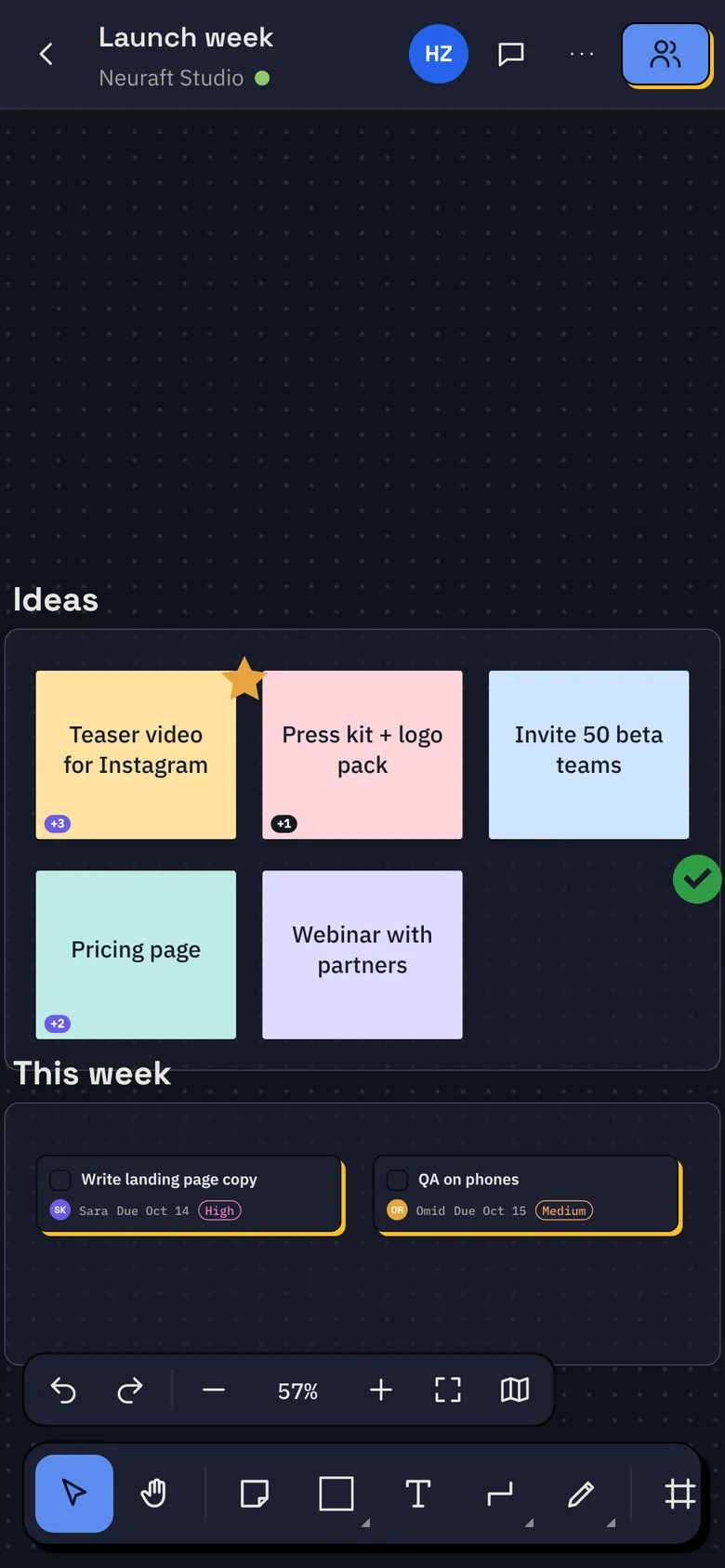
The Launch week board: a flowchart plan, sticky-note ideas and task cards Hossein ❤️👏+1 3 people here now Saved · every change, instantly

Watch a board come together.

  1. 01Drop your ideas. Sticky notes, text, shapes and images — wherever there's room. The canvas never runs out.
  2. 02Connect the dots. Arrows snap to shapes and find their own way around them. Drag one to bend it.
  3. 03Bring the team in. Everyone's cursor, name and selection shows live. No refresh, no “who has the latest version”.
  4. 04Talk it through, right there. Pin a comment to the exact spot, reply in a thread, send a reaction.
  5. 05Decide and move. Vote on the best ideas, run a timer, turn notes into tasks with an owner and a date.

Everything your team needs,
on one canvas.

Built for real teams: companies, studios, classrooms. These are the parts people love most.

A dashboard that keeps you oriented

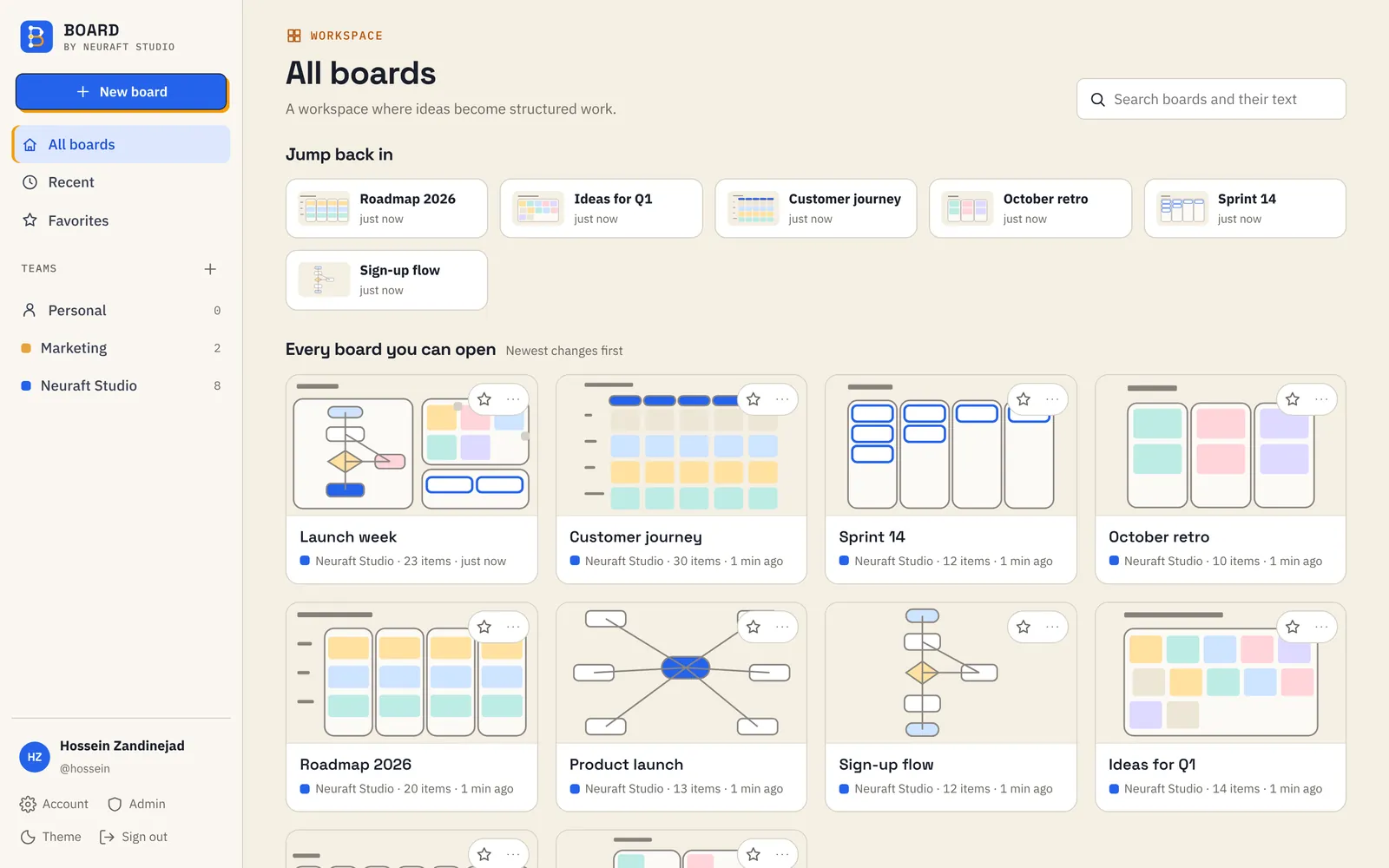
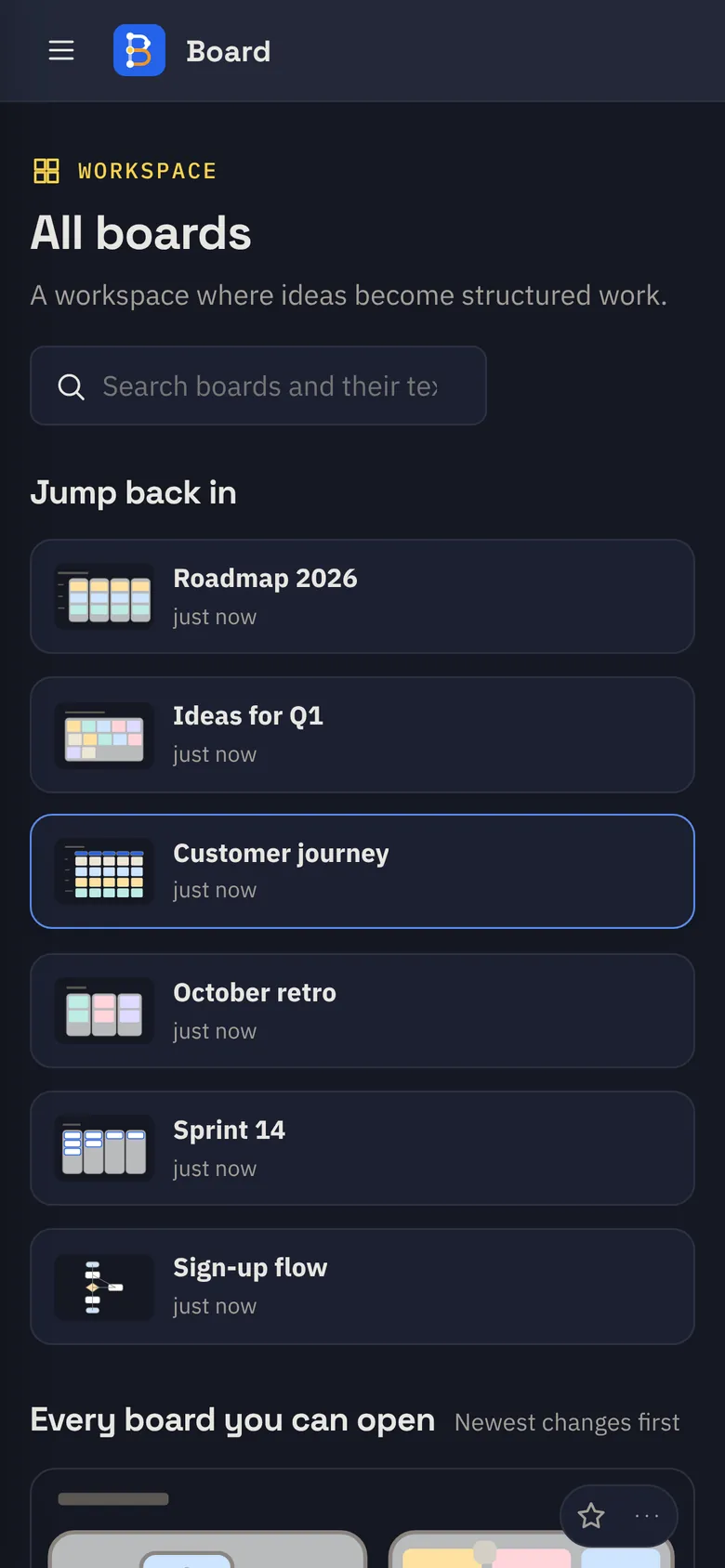
Every board you can open, with a live preview. Jump back in, star favourites, and search inside every board's text.

Board home: every board with a live preview
Unique

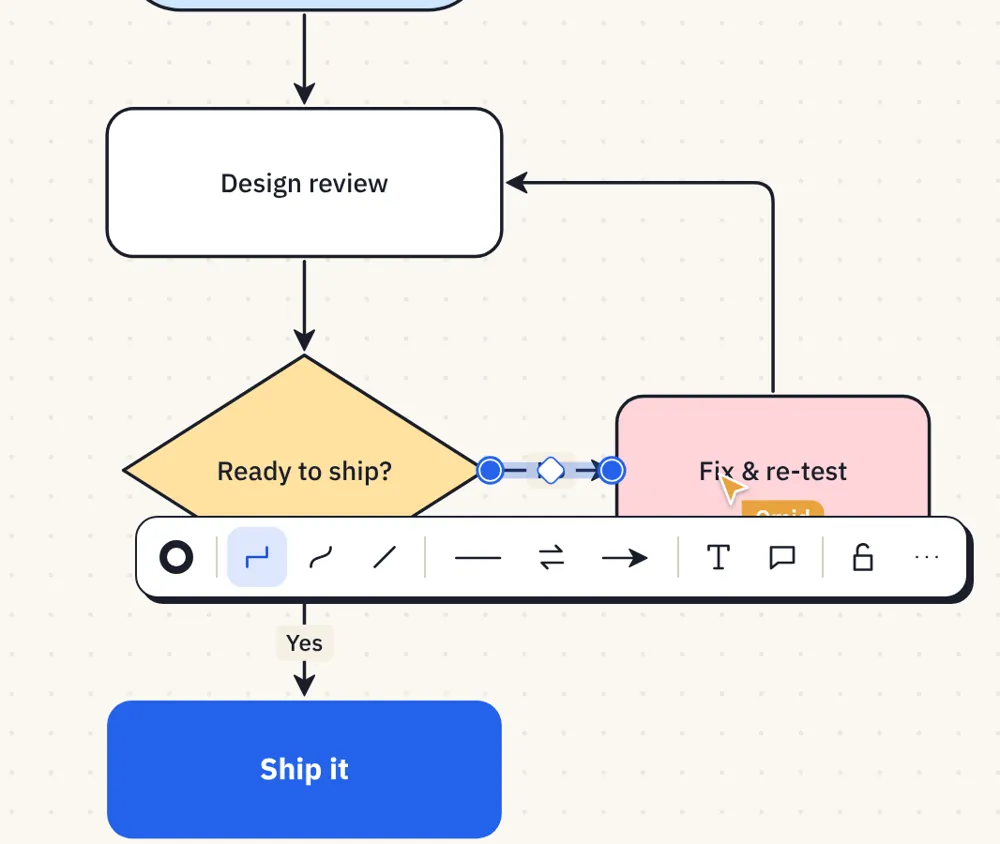
Arrows that think

Right angles, curves or straight lines. They follow your shapes wherever they move.

An elbow connector attaching to a flowchart shape
Unique

Work live, together

See who's on the board, follow anyone's cursor, and bring everyone to your view with one click. Changes reach every screen in a blink.

HZSKORNA
Unique

Talk on the board

Comment threads pinned to the exact spot, replies, resolve, and live reactions.

Sara Should the kickoff be Monday?

Hossein Monday 10:00. I'll invite the partners.

Omid Perfect, adding it to the plan ✓

❤️ 👏 🔥

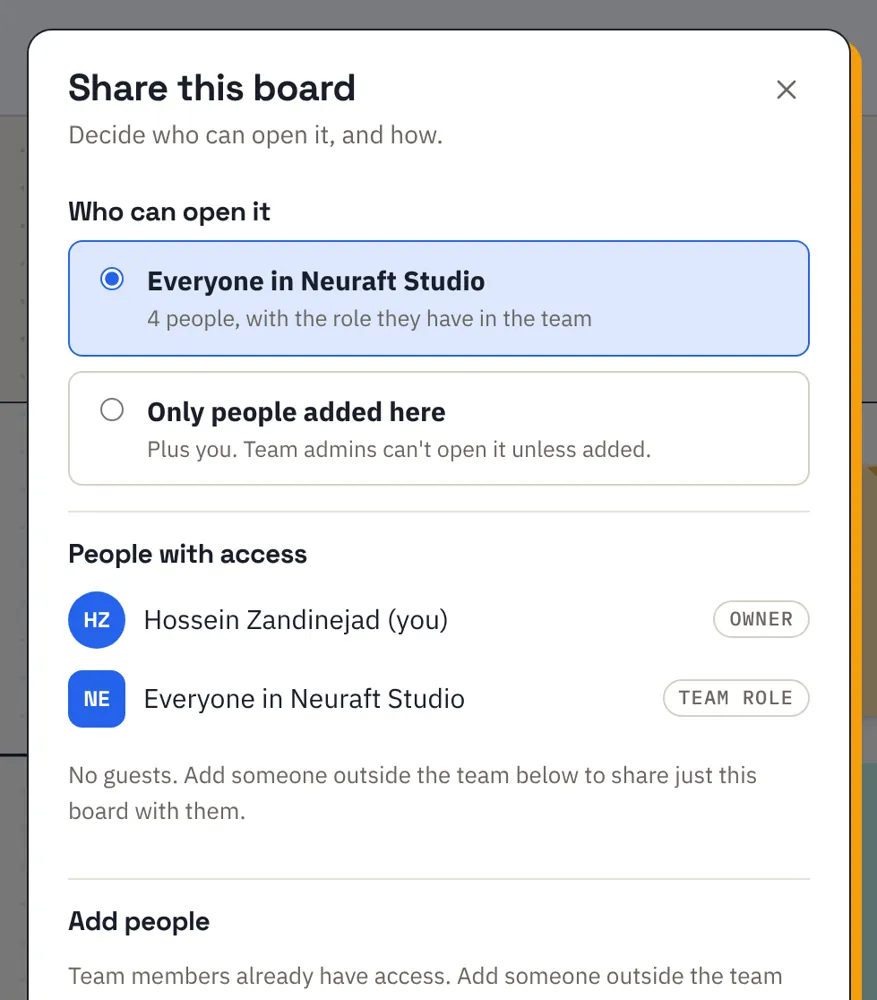
Share on your terms

Add people by name or email, send an invitation link that expires, or publish a read-only view.

The Share this board dialog
Unique

Teams for your whole company

A team for every department, the right role for each person — and a client as a guest who sees one board only.

Ownerruns the teamAdminmembers & invitesEditorcreates & editsViewercomments & votesGuestone board only

Vote, time, present

Dot-vote ideas, run a shared timer, and walk the team through frames like slides.

+53:00▶ Present

Nothing gets lost

Undo while you work, saved versions you can restore, and a log of who did what.

  • Before the client callToday, 14:20
  • Plan v2Yesterday
  • First draftOct 6
Made for Iran

Fast from anywhere in Iran

No VPN needed. Write in Persian or English; Board handles both.

ایده‌های تیم، روی یک بُرد

Easy on the eyes after dark.

Board follows your device's light or dark setting, or you choose. The canvas, notes and arrows all adjust. Drag to compare.

Board editor in light mode Board editor in dark mode ‹ › LightDark

Start from a template.

Ten ready-made boards, from a quick brainstorm to a full roadmap. Each one is yours to change.

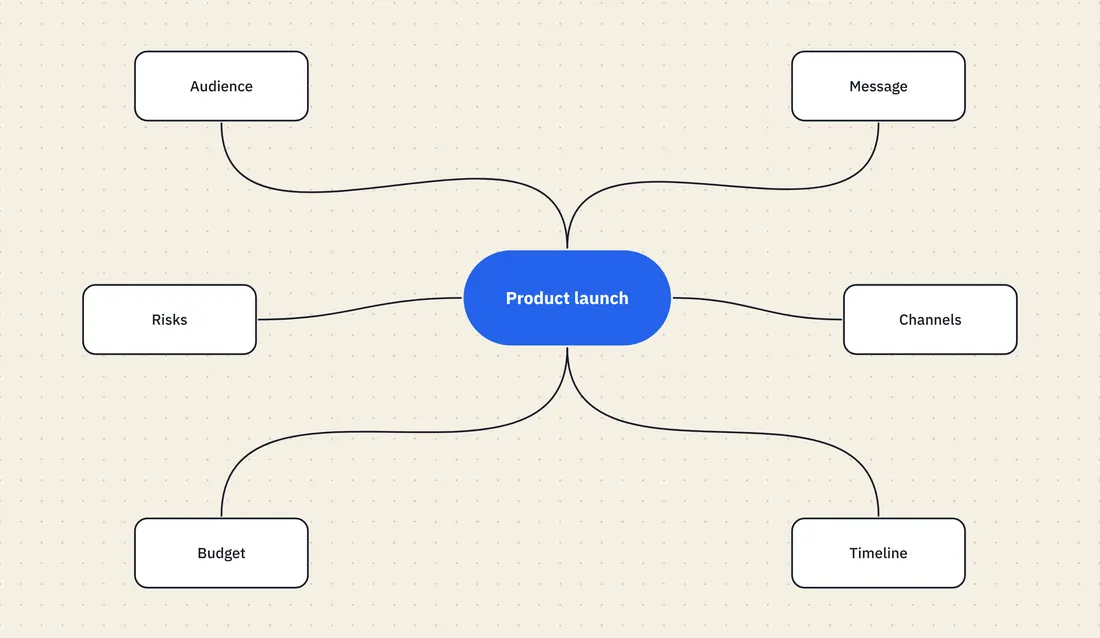
Mind mapOne idea in the middle, branches out.
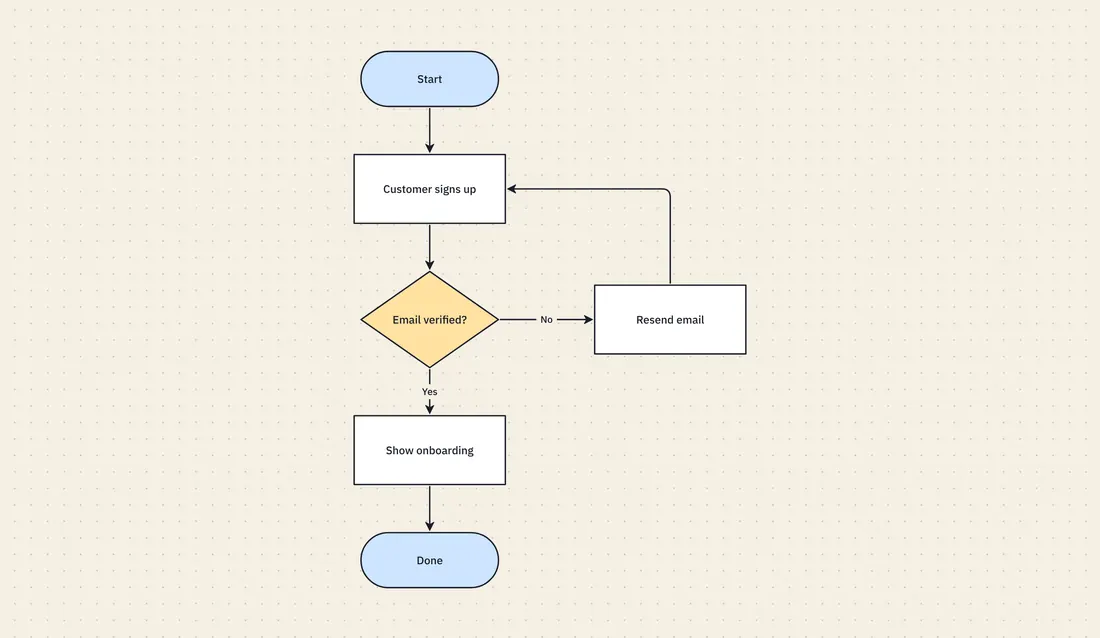
FlowchartSteps, decisions and arrows.
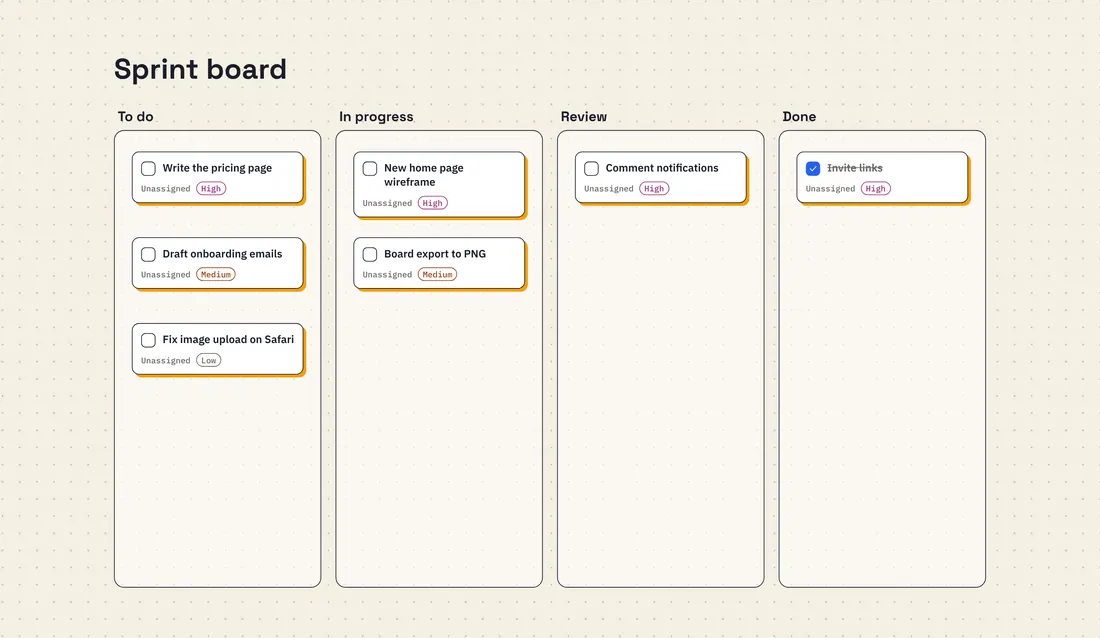
KanbanTo do, in progress, review, done.
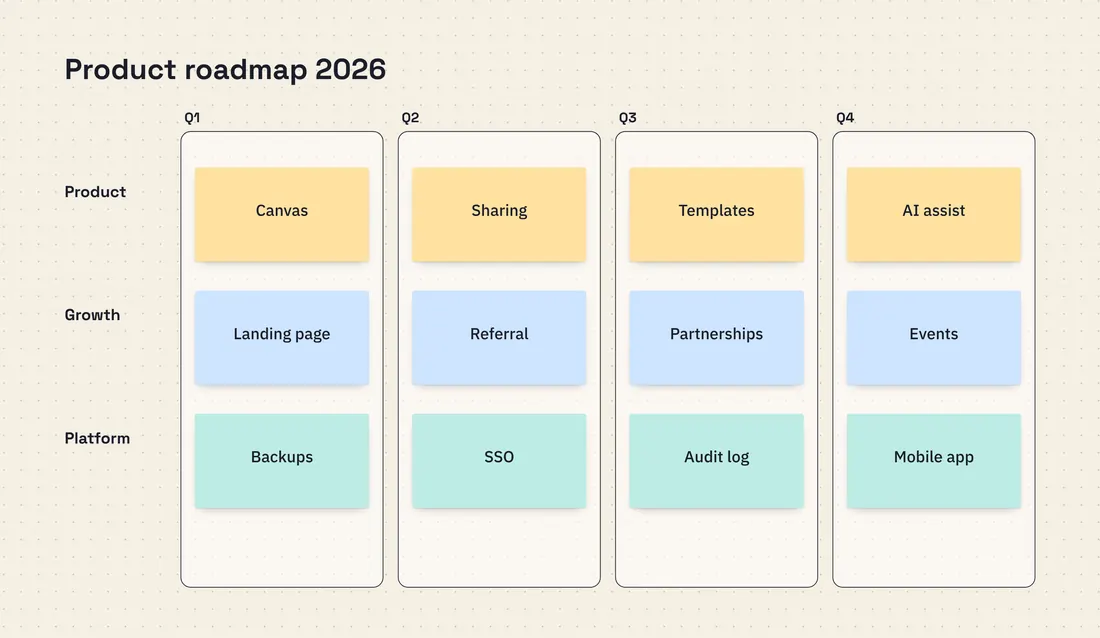
RoadmapQuarters across, workstreams down.
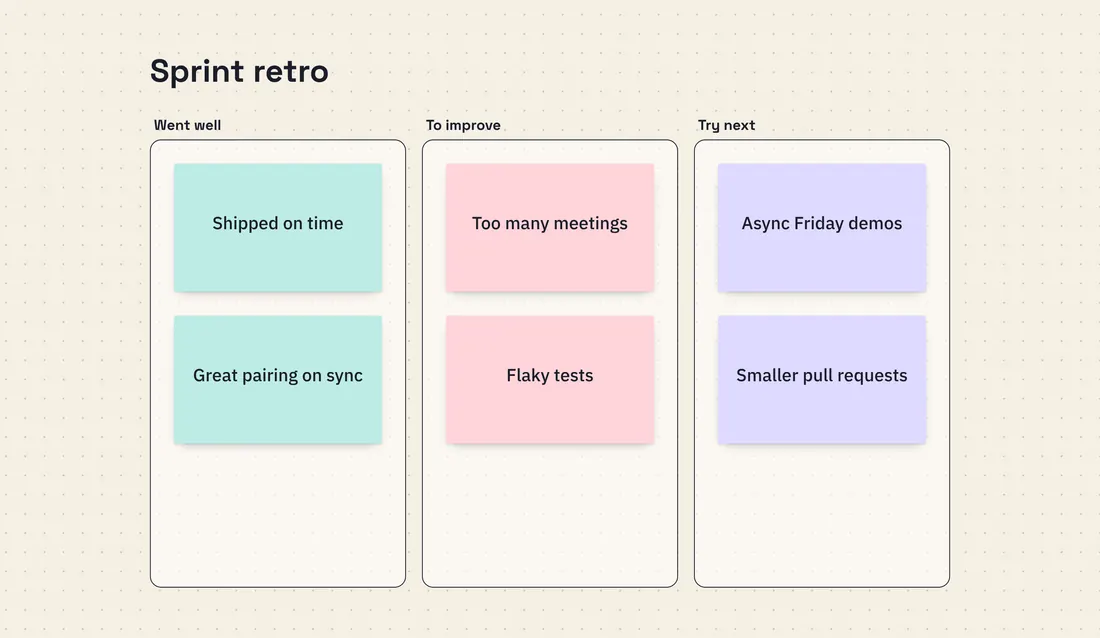
RetrospectiveWhat went well, what to change.
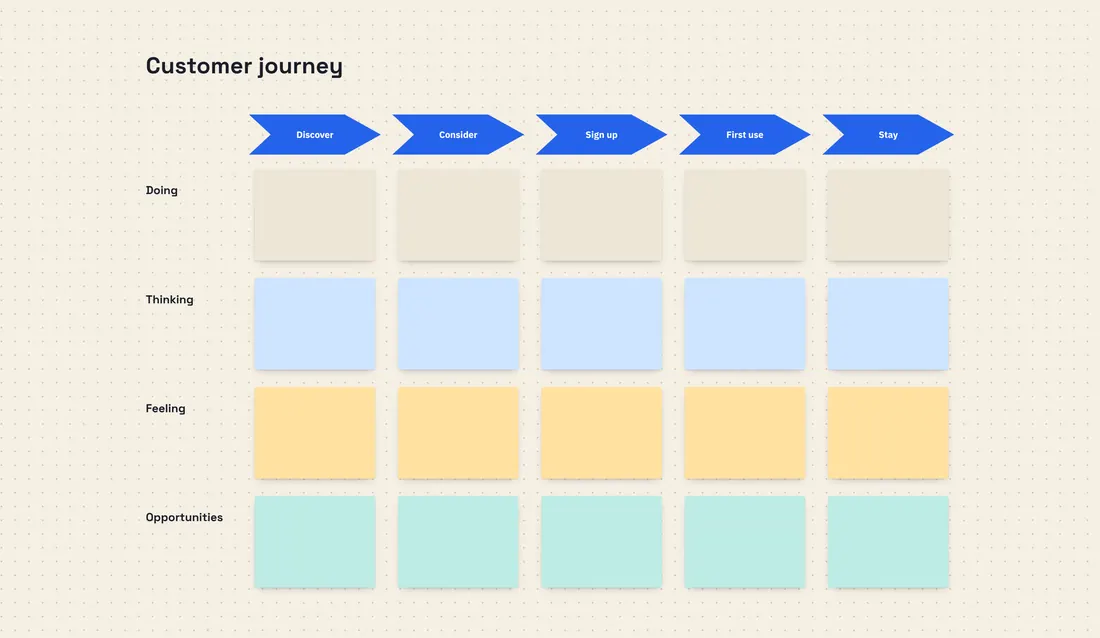
Customer journeyStages, thoughts, feelings.
BrainstormIdeas first, grouping after.

Also: meeting notes, week plan, SWOT, and a blank board that never ends.

Your boards,
in your pocket.

Open any board on your phone, pinch to zoom, add a note on the way to the meeting. Add Board to your home screen and it opens like an app.

Board home on a phone
A board on a phone
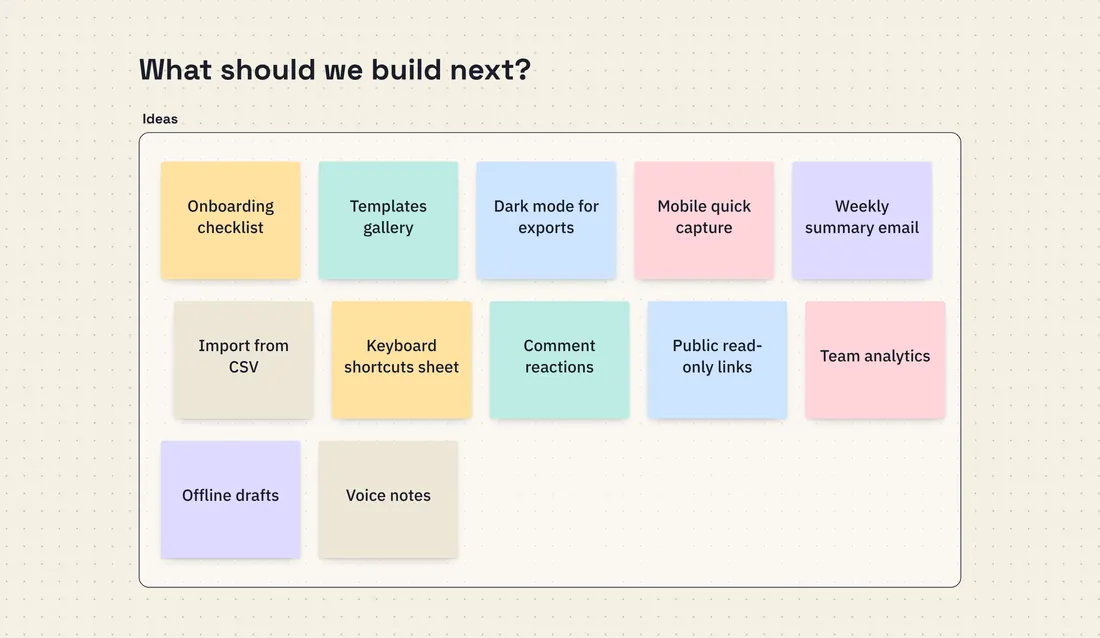
Sticky-note ideas on a phone

Your company's ideas stay yours.

  • Private boards only the people you add can open
  • Roles for everyone: owner, admin, editor, viewer, guest
  • Invitation links expire after 7 days and can be withdrawn
  • New accounts confirm their email with a code
  • Passwords stored as salted hashes, never as text
  • Saved versions of every board, and nightly backups

Web studio

Websites,
crafted to convert.

Beyond our own products, Neuraft designs and builds websites for businesses — from first sketch to live launch. These are real screens from two sites we delivered.

Client work · 01 · vamoscafe.ir

Vamos Cafe

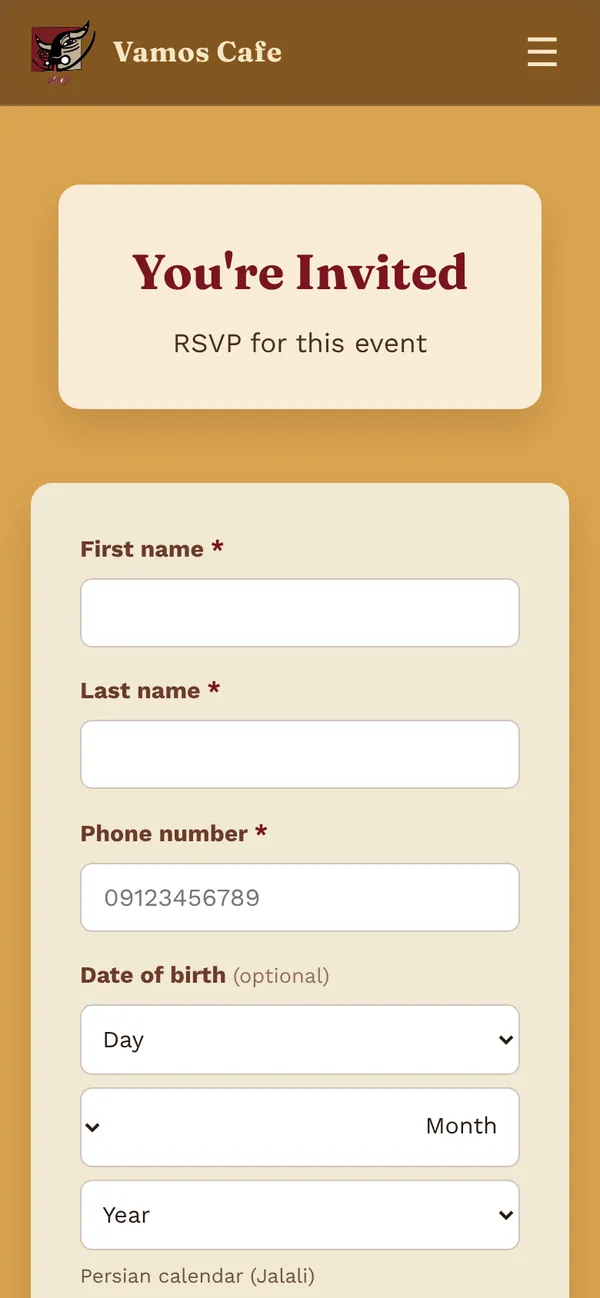
Café website · design, development & an events + RSVP system
Visit vamoscafe.ir ↗

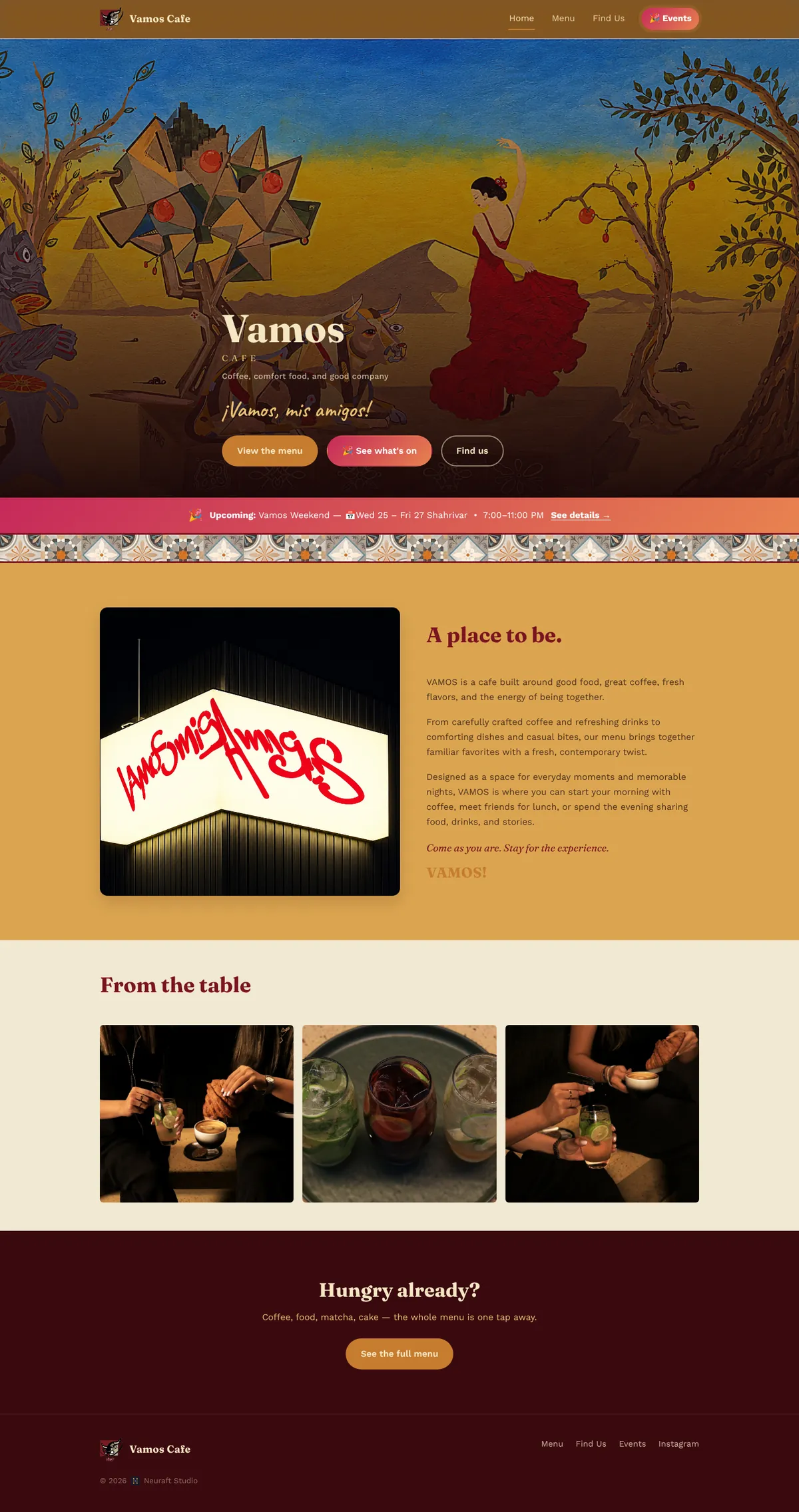
A warm online home for a café in Shahrak-e Gharb, Tehran — built around its own flamenco mural, tiles and bull logo. Guests browse the menu from their table, see what's on, RSVP, and walk away with a personal invitation.
🔒 vamoscafe.ir/
Vamos Cafe home page
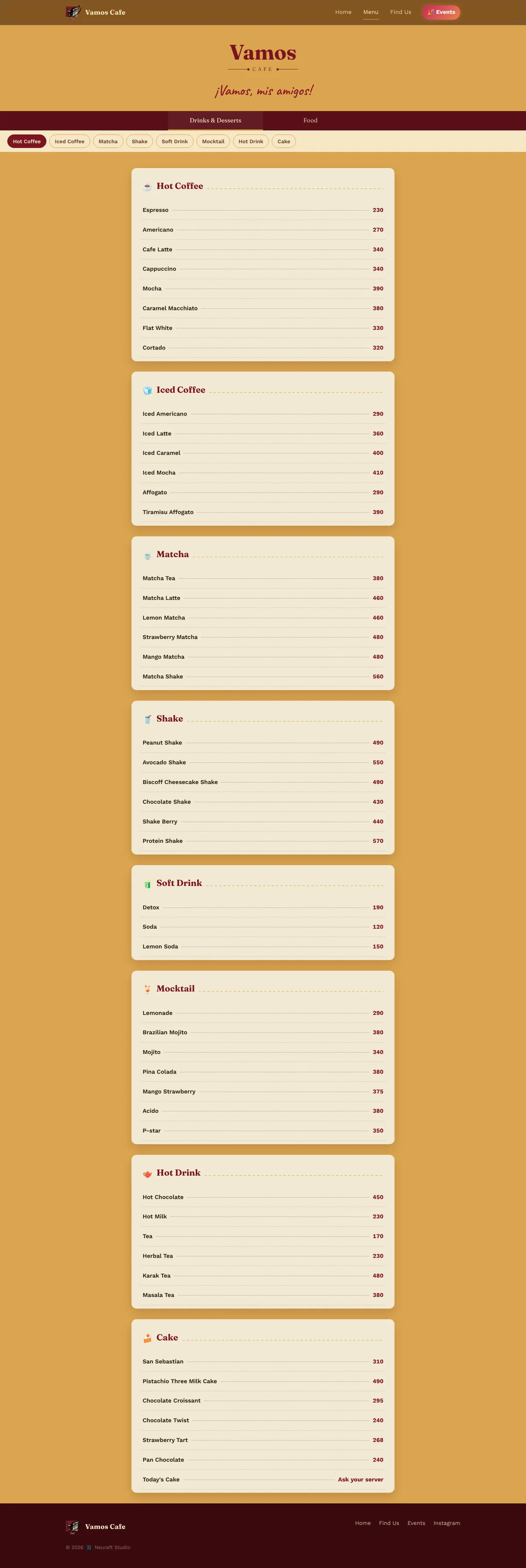
Vamos Cafe menu with Drinks & Desserts and Food tabs
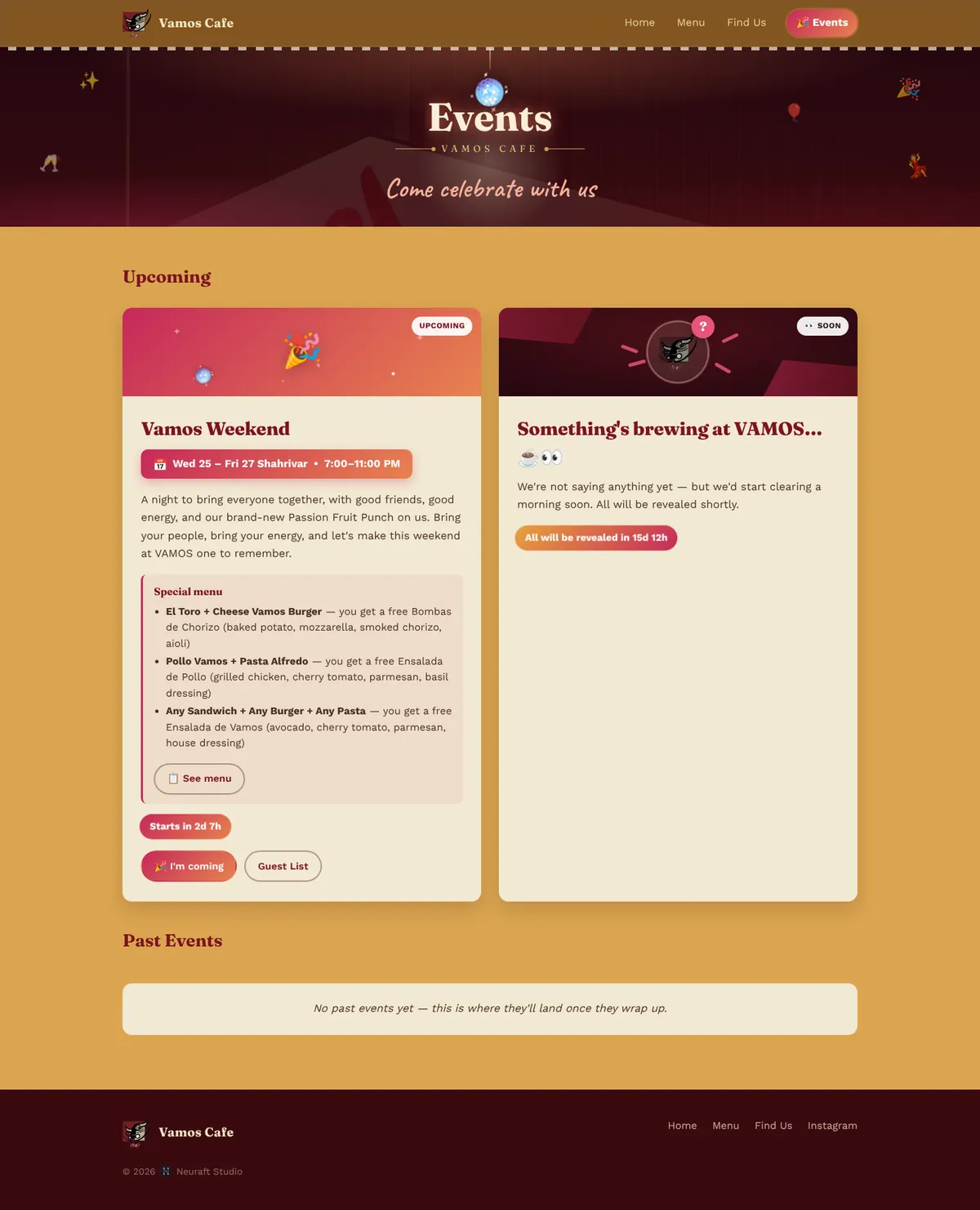
Vamos Cafe events page with live countdowns
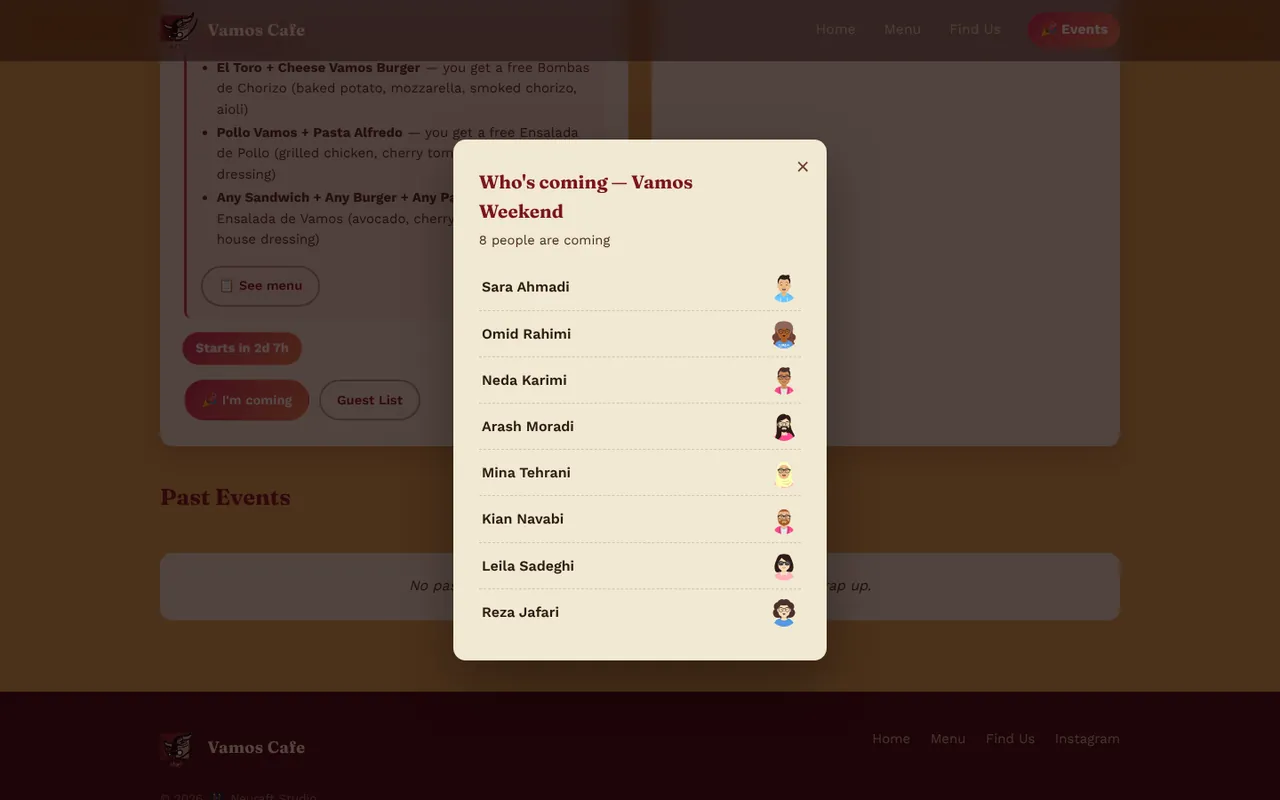
The live guest list with each guest's character
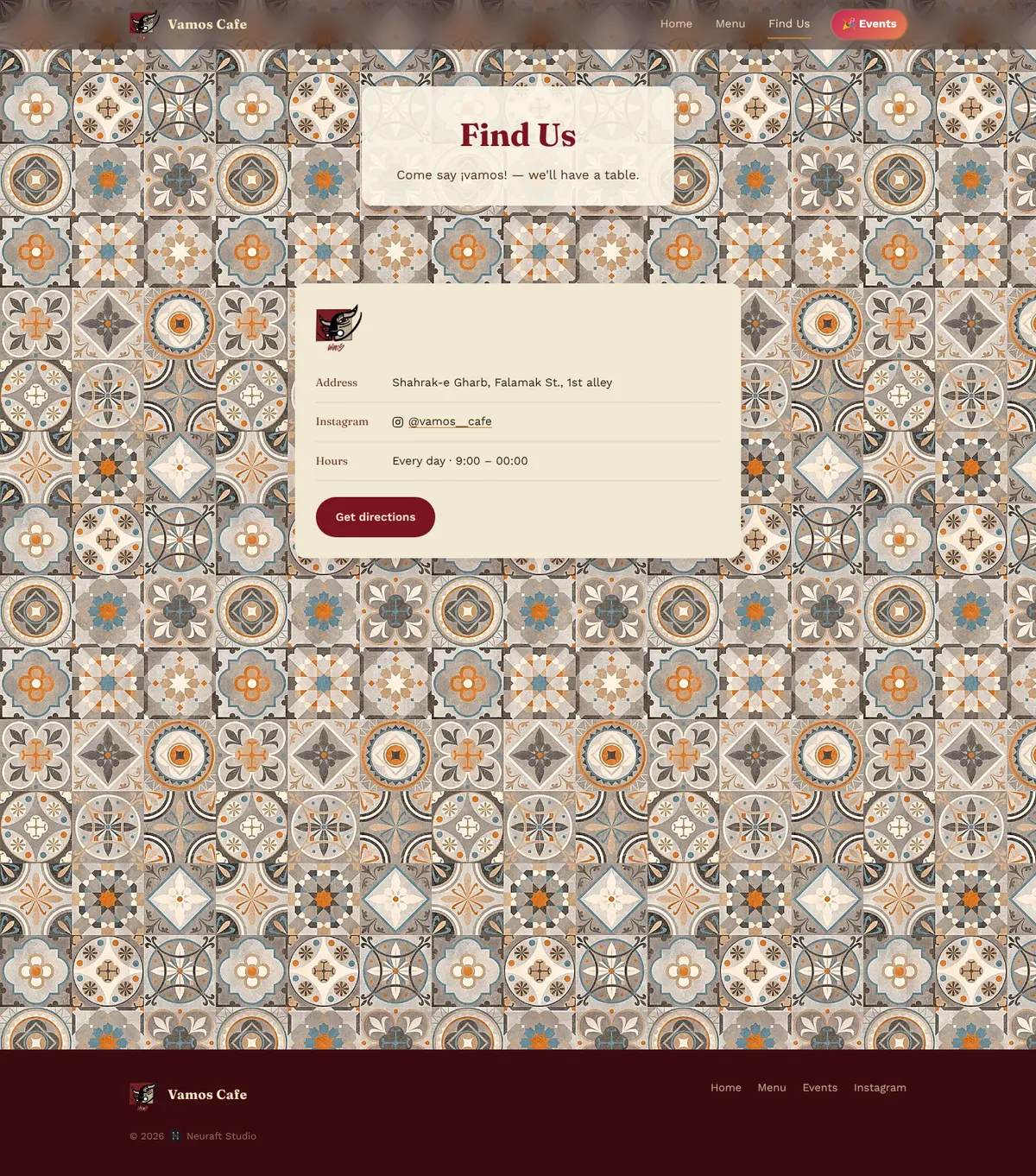
Vamos Cafe Find us page
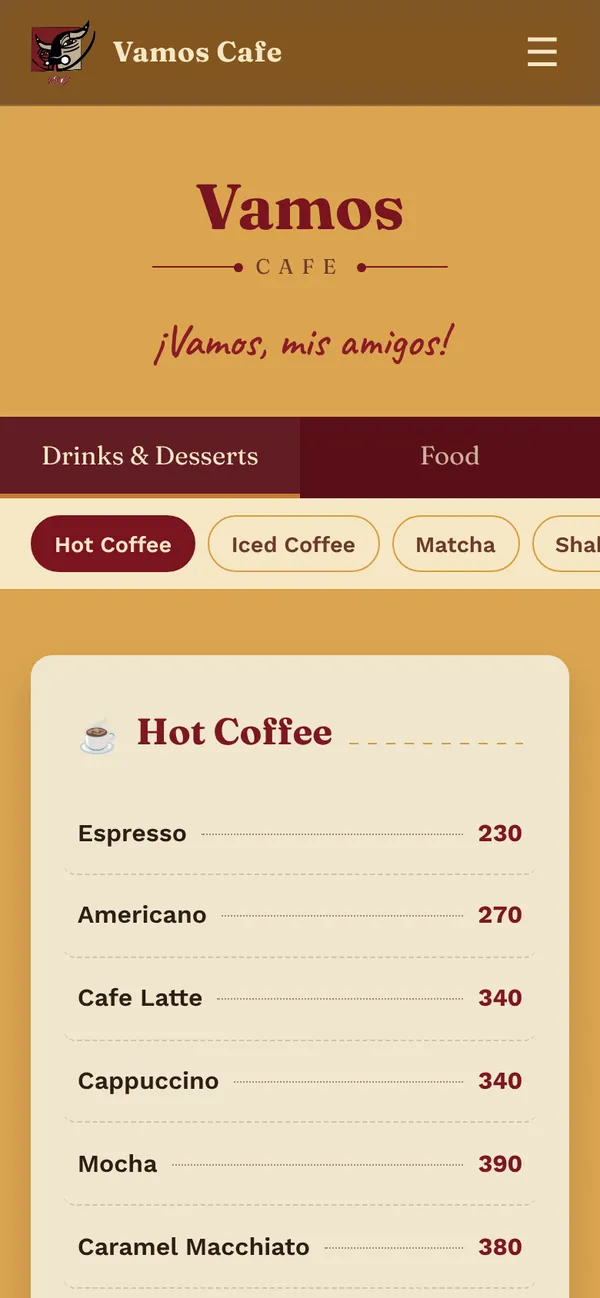
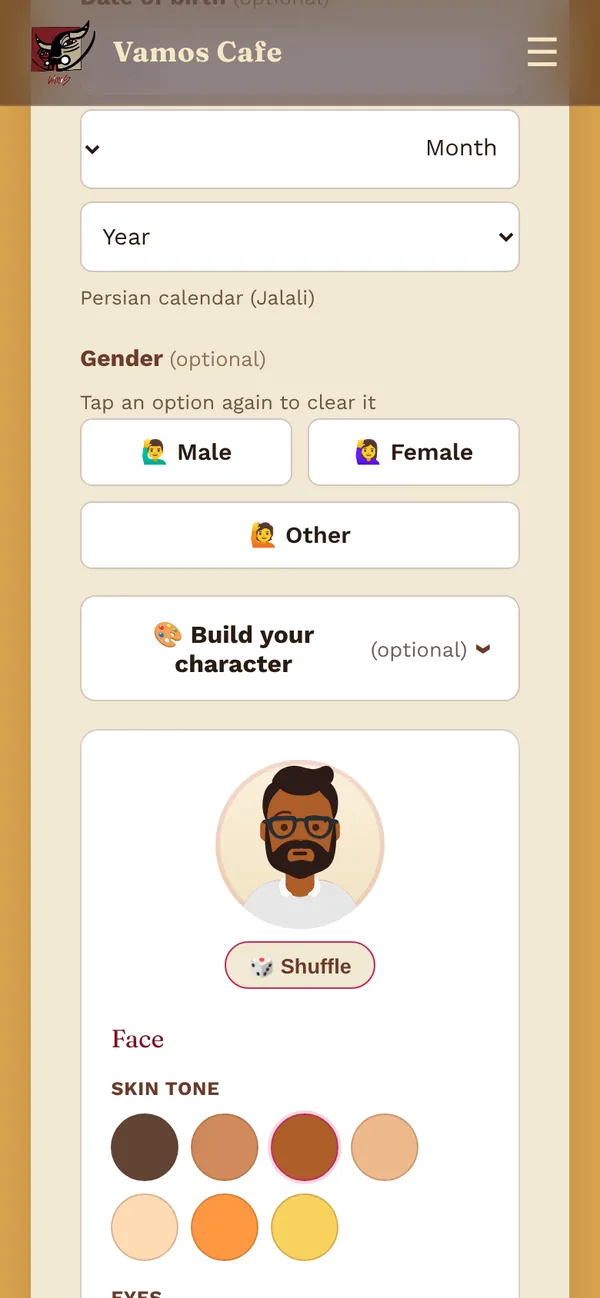
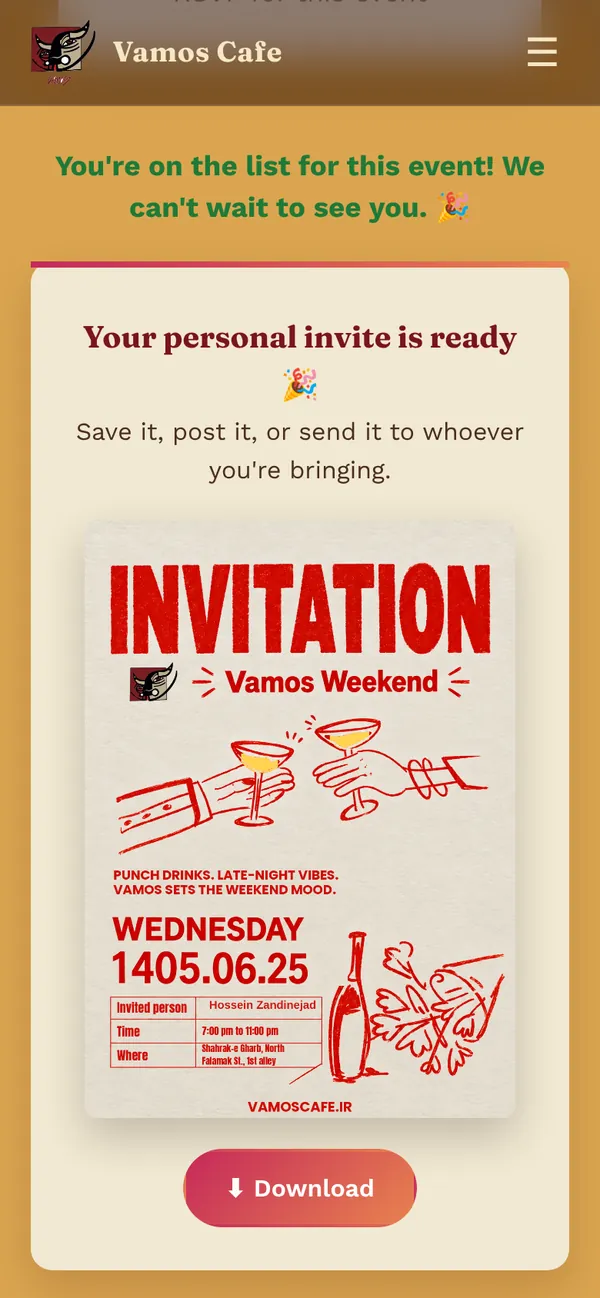
The menu on a phone The RSVP form The character builder A personal invitation poster

Scan the table QR — the menu opens

  • QR-ready digital menuDrinks & Desserts and Food tabs with category chips — the page every table's QR code opens.
  • Events that sort themselvesEach event moves into Happening now, Upcoming or Past on its own, with a live countdown.
  • RSVP with a character builderGuests design their own avatar — skin, hair, outfit, glasses — and it appears beside their name on the guest list.
  • A personal invitation posterThe guest's name is drawn onto the event poster, ready to download or share to an Instagram story.
  • Private by designThe guest list shows names and characters only — phone numbers never leave the server.
  • Hardened formsValidated inputs, rate limiting, and a guest list that can't be used to inject scripts.
Brand-led UIHTML · CSS · JSPHPEvents & RSVPJalali datesMobile-first

Client work · 02 · saberigroup.com

Saberi Group گروه نساجی صابری

Manufacturer website · Persian, right-to-left · design & development
Visit saberigroup.com ↗

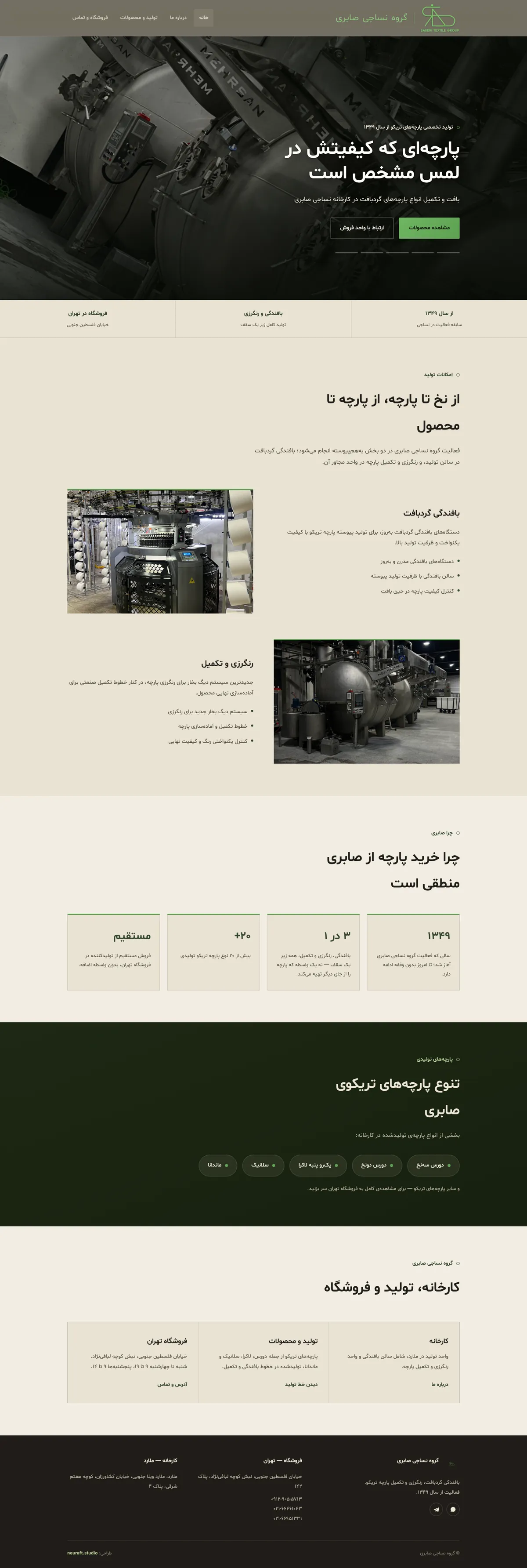
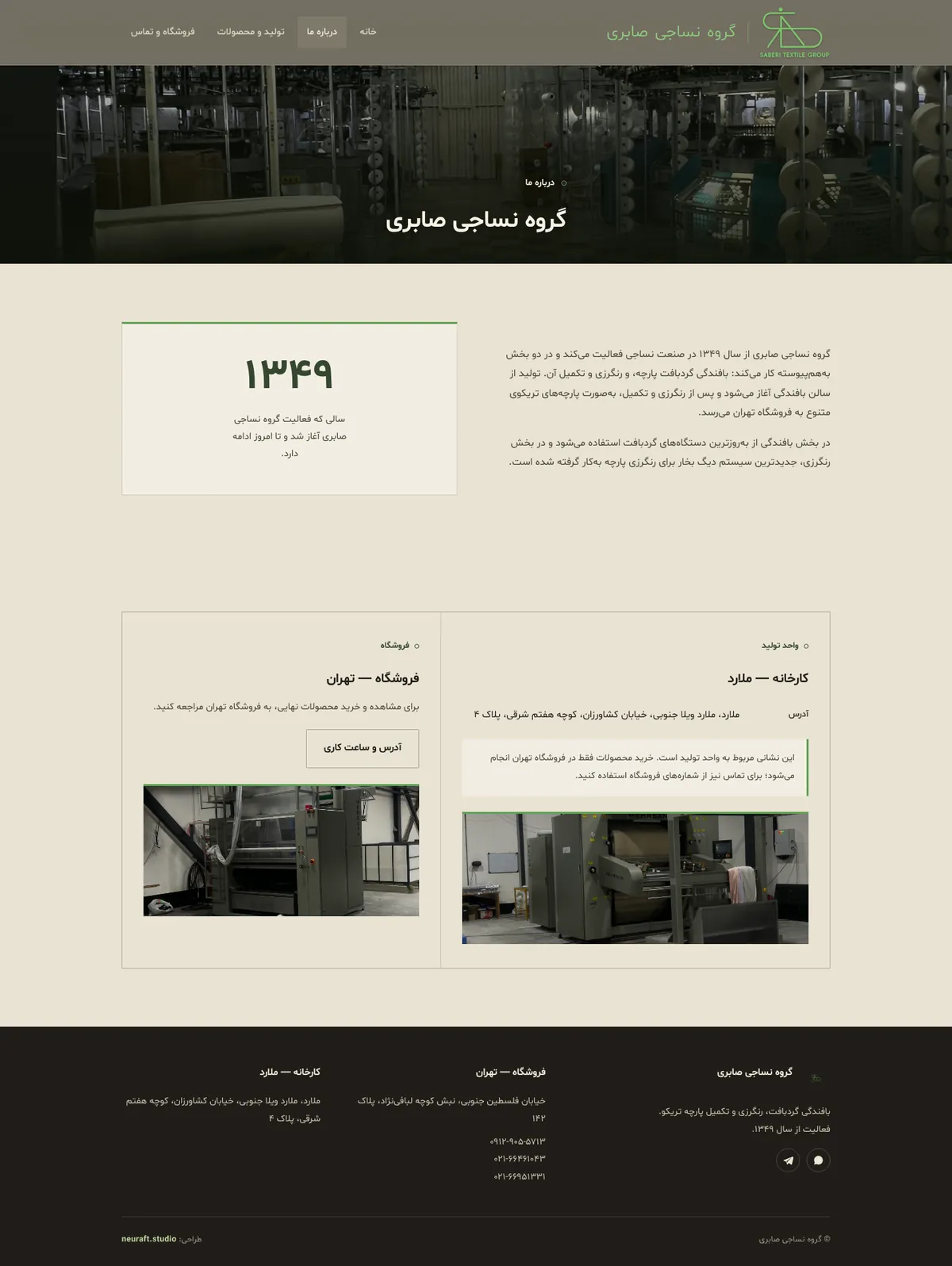
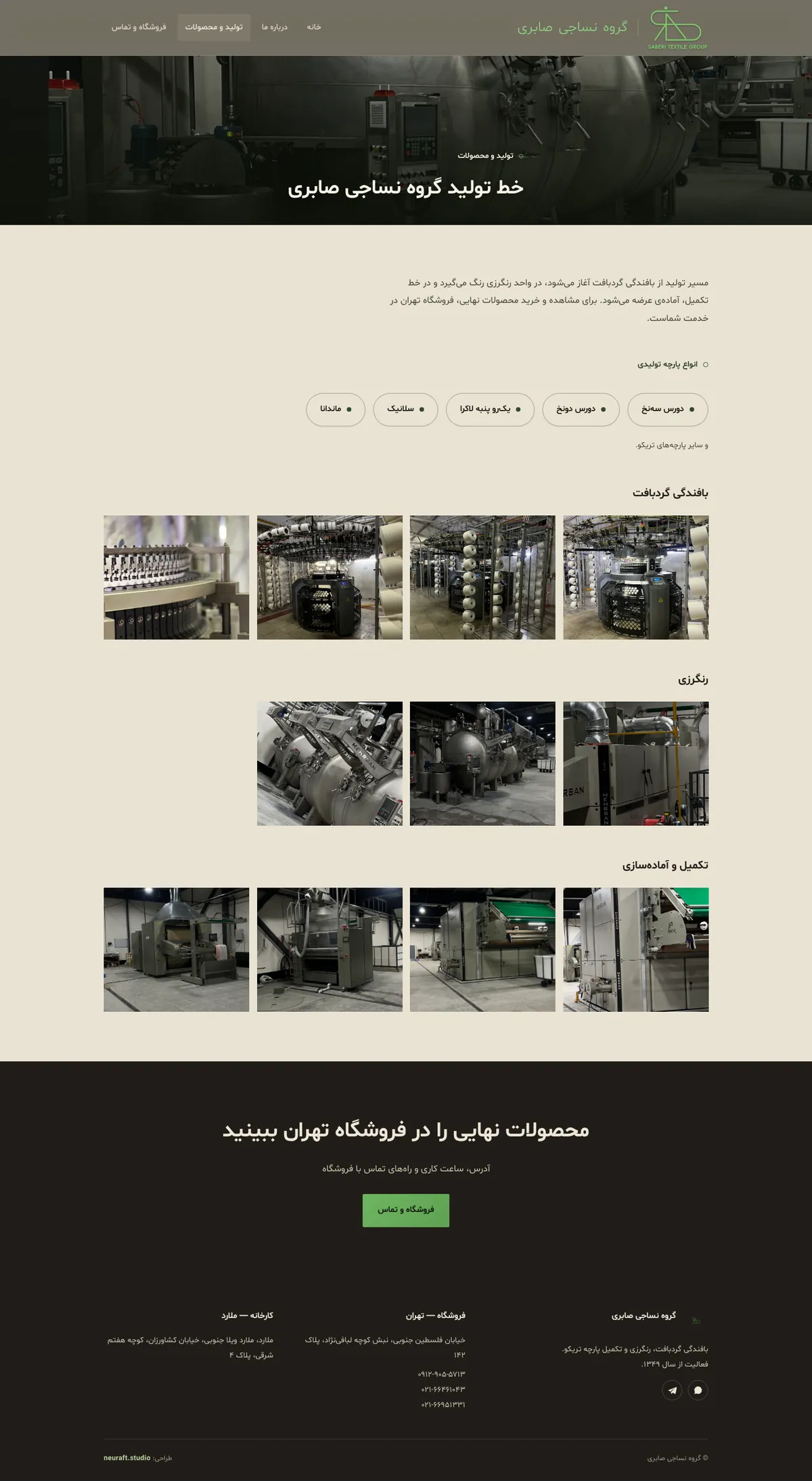
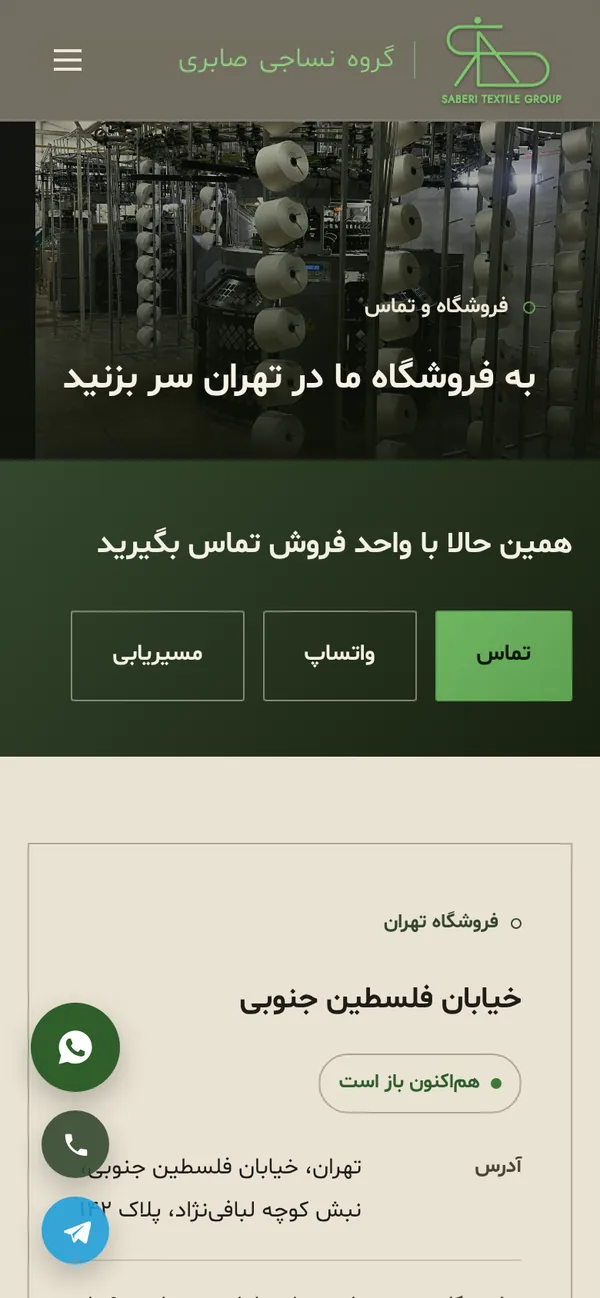
A Persian website for Saberi Textile Group, a tricot fabric maker knitting, dyeing and finishing under one roof since 1349. It tells the story from yarn to fabric with real factory photography — and turns visitors into calls and WhatsApp messages to the Tehran store.

🔒 saberigroup.com/
Saberi Group home page
Saberi Group about page
Saberi Group production lines with factory photos
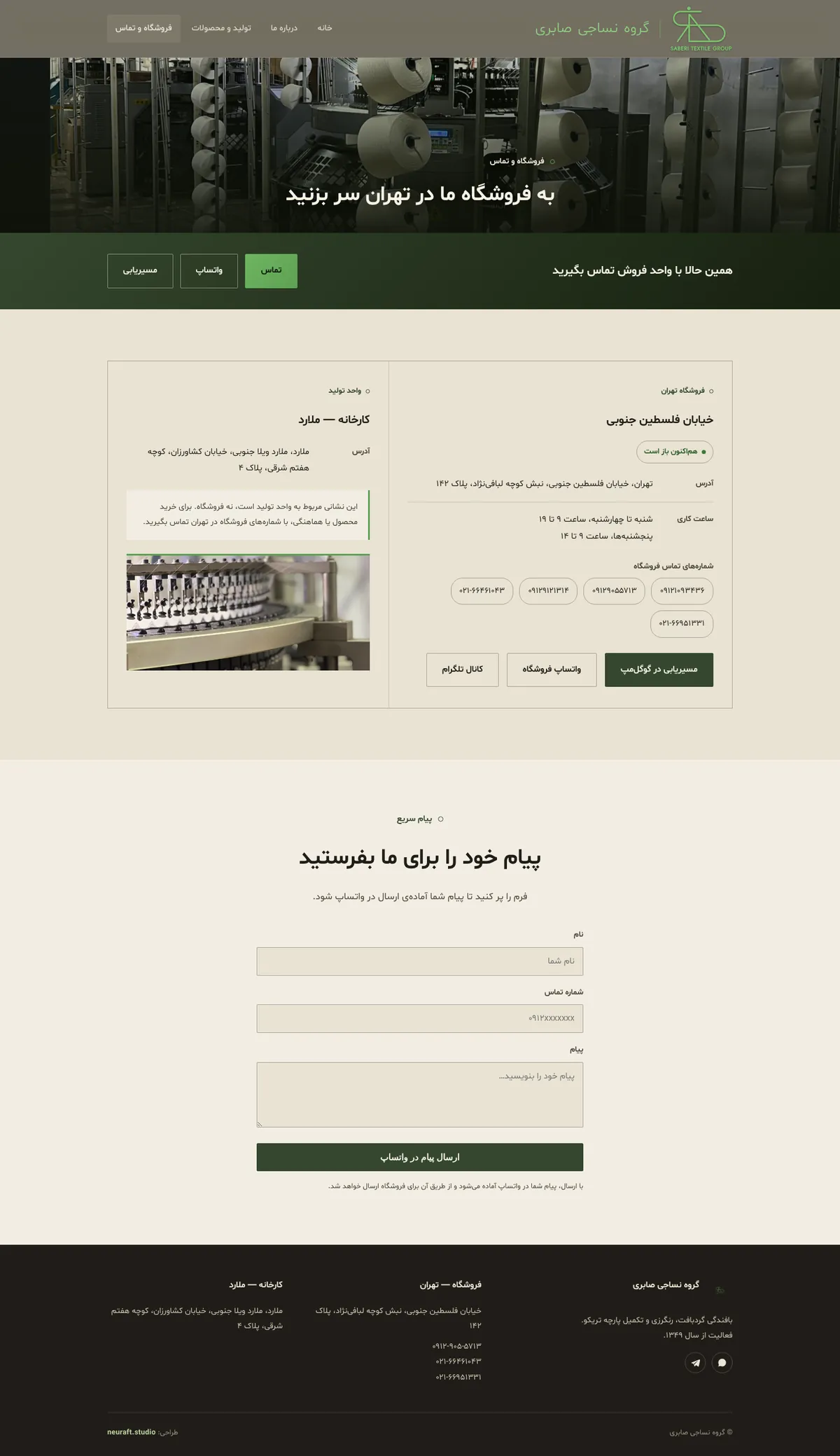
Saberi Group store and contact page
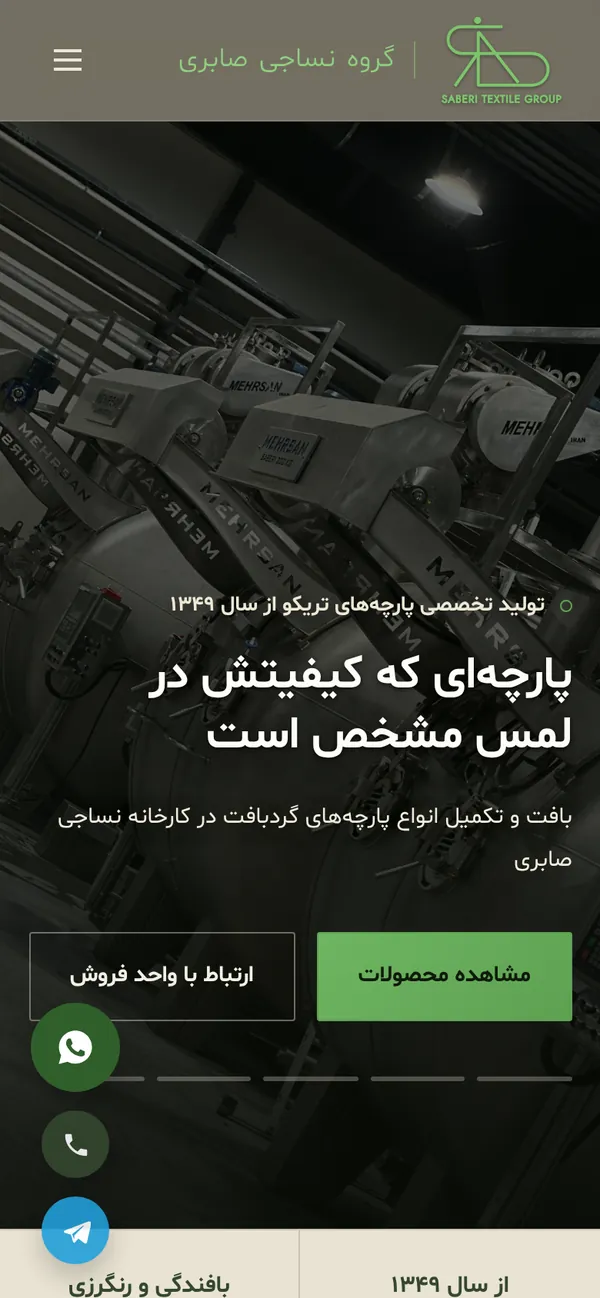
Saberi Group on a phone The store page with a live open-now badge

Persian, right-to-left, phone-first

  • Fully Persian, right-to-leftPersian numerals and a built-in Persian typeface — no outside font requests, fast on any connection.
  • Live “open now” badgeChecks the Tehran store's hours in real time — Fridays closed, short Thursdays included.
  • WhatsApp quick messageA short form becomes a ready-to-send WhatsApp message to the sales team.
  • Four pages, zero reloadsHome, About, Production and Store switch instantly as one app.
  • Contact on every screenOne-tap call, WhatsApp, Telegram and Google Maps directions, floating on every page.
  • The factory, on showReal photography of the knitting, dyeing and finishing lines, a full-screen gallery and a timed hero slideshow.
RTL · PersianBrand-led UISingle-page appPhoto galleriesWhatsApp leadsMobile-first

Your turn

Your website could be next.

A custom site designed around your business — with optional AI built in: chat assistants, smart forms, recommendations.

Order a website →

What we build

Everything intelligent.
Nothing generic.

From a single automation to a full AI product — one studio covers strategy, design, machine learning and code.

01 · AI websites

Websites that think.

Sites with built-in AI assistants, smart forms and recommendation engines that adapt to every visitor — and turn browsers into customers.

Do you deliver on weekends?
✦ Yes — Saturday 9–6. Want me to book a slot?
Saturday, 11am please
02 · Automation

Workflows that run themselves.

Python and API-powered automations that turn hours of manual work into minutes.

triggerAIprocessdone
03 · Dashboards

Data you can act on.

Real-time analytics with anomaly detection.

04 · Assistants

AI that knows your business.

Chatbots trained on your own data.

05 · Web design & development

Custom sites, launched fast.

Corporate sites, landing pages, cafés, stores — designed from scratch, never from a template.

06 · Consulting

From idea to deployed.

Strategy, implementation and hands-on training for teams that want to use AI practically — not just talk about it.

How it works

Four steps.
Zero black boxes.

STEP 01

Discover

A free call to understand your business, your goals and where AI or a better website will actually make a difference.

Free consultationClear scope
STEP 02

Design

Visual direction, user flows and a working prototype — so you see and feel the product before a single line of production code.

PrototypeVisual design
STEP 03

Build

Hand-crafted code and carefully trained AI, with regular demos along the way. You always know exactly where things stand.

Regular demosClean, documented code
STEP 04

Launch & grow

Deployment, monitoring and continuous improvement. Your product keeps getting smarter after launch day.

DeploymentOngoing support
Hossein Zandinejad, founder of Neuraft, as a LEGO-style figure at his laptop
Hossein ZandinejadFounder · Neuraft Studio

Behind the studio

Neur + aft.
Neural, crafted.

Neuraft is founded and led by Hossein Zandinejad — a statistician from the University of Tehran and a supply-chain expert who builds the data, machine-learning and automation pieces that keep real operations running. The studio brings that same rigour to every product and website.

0SKUs checked by an anomaly-detection engine he built
0automation tools — 2–5 hour tasks down to 10–15 minutes
+0%ROC-AUC from an ML redesign of a stocktaking model
0staff and department heads trained in hands-on AI automation
A direct line to the builder

No account managers, no hand-offs. You talk to the person building your product.

AI where it helps — not where it's hype

Practical outcomes first. If simpler is better, you'll hear it.

Built to be yours, and built safely

Clean, documented work you own — security-checked before it goes live.

Meet Hossein — portfolio ›

Experience across

Ofogh Koorosh Chain Stores University of Tehran Frankfurt Institute for Advanced Studies Iran's National Elites Foundation Atomic Energy High School Quera

Start a project

Let's build something
intelligent.

Tell us what you need in under a minute. You'll get a personal reply — usually within one business day.

What can we build for you?

Pick the closest — we'll refine it together.

Which product?

Select all that apply.

Timeline

Almost there. How do we reach you?

A sentence or two about your business helps us prepare.

Your request is ready to send.

Your email app should have opened with everything filled in — just hit send.
Didn't open? Email us directly at